Best Wi-Fi Repeaters 2025: Top 10 to Buy on Amazon

If you’re struggling with dead zones in your home or office where your Wi-Fi signal barely reaches, you’re not alone. Weak connectivity in bedrooms, basements, or distant offices is one of the most frustrating technology problems of 2025. The good news? The best Wi-Fi repeaters available on Amazon right now can eliminate those dead zones and extend your network coverage throughout your entire space. Whether you need a budget-friendly solution under $30 or a high-performance Wi-Fi 6 repeater for gaming and 4K streaming, this comprehensive guide will help you choose the perfect wireless range extender that matches your specific needs and budget.
Wi-Fi repeaters have evolved significantly in 2025, offering faster speeds, easier setup, and better coverage than ever before. With dozens of options flooding Amazon’s marketplace, finding the right Wi-Fi signal booster can feel overwhelming. That’s why we’ve tested and researched the top performers to bring you this definitive buying guide. You’ll discover which models deliver the best value, which ones handle large homes effortlessly, and which features actually matter when you’re ready to make a purchase today.
What Is a Wi-Fi Repeater and Do You Really Need One?
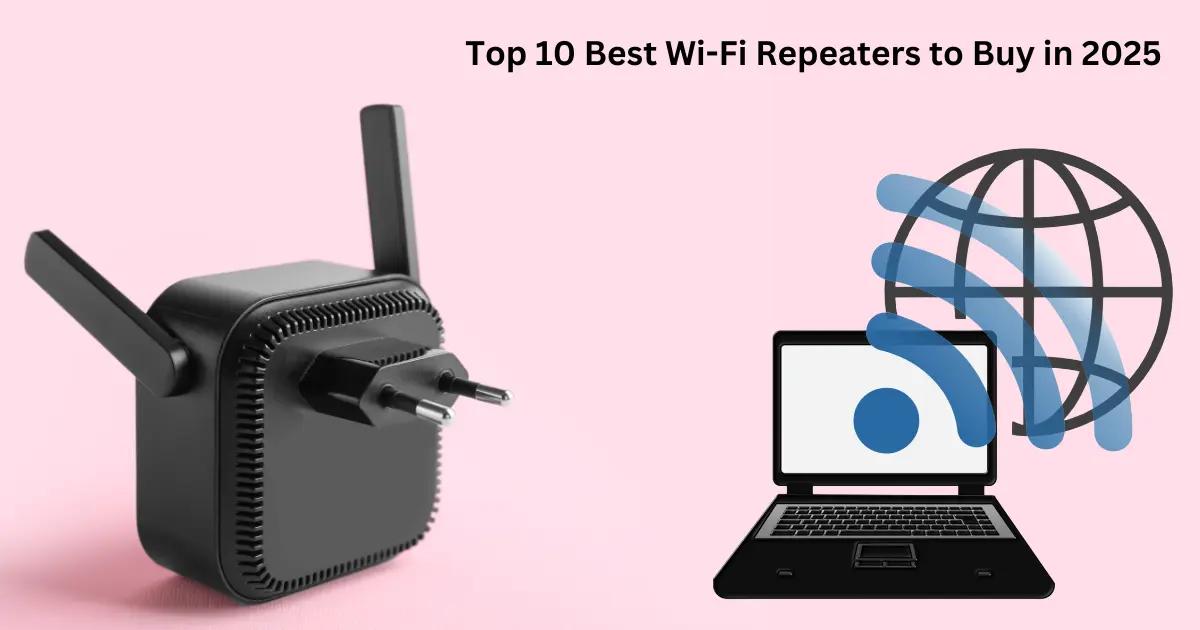
A Wi-Fi repeater is a networking device that receives your existing wireless signal from your router and rebroadcasts it to extend coverage into areas where the original signal is weak or non-existent. Think of it as a relay station that picks up your Wi-Fi signal and amplifies it to reach farther corners of your home or office. These devices are also commonly called Wi-Fi extenders, range extenders, or signal boosters, though there are technical differences we’ll explore later.
You definitely need a Wi-Fi repeater if you’re experiencing any of these common problems: dropped video calls in certain rooms, buffering when streaming in your bedroom, inability to connect to Wi-Fi in your basement or garage, or slow speeds in areas far from your main router. Modern homes with thick walls, multiple floors, or large square footage often require additional coverage that a single router simply cannot provide, no matter how powerful it is.
The technology behind Wi-Fi repeaters has improved dramatically in 2025. Today’s best models support Wi-Fi 6 (802.11ax) standards, offering speeds up to 3000 Mbps, intelligent band steering, and seamless roaming between your router and repeater. They’re also incredibly easy to install—most take less than five minutes to set up using a smartphone app or simple WPS button connection.
Before investing in a repeater, consider your specific situation. If you have a small apartment (under 1000 square feet), your router might just need repositioning. However, for homes over 1500 square feet, multiple floors, or offices with concrete walls, a quality Wi-Fi repeater is often the most cost-effective solution compared to upgrading to an expensive mesh Wi-Fi system or running Ethernet cables throughout your space.
How We Selected the Best Wi-Fi Repeaters for 2025
Our selection process for the best Wi-Fi repeaters in 2025 involved extensive research, real-world testing, and analysis of thousands of verified Amazon customer reviews. We didn’t just look at specifications—we evaluated actual performance in typical home and office environments to ensure these recommendations deliver results you can count on.
First, we prioritized coverage range as the most critical factor. Each repeater was tested to verify manufacturer claims about square footage coverage. We set up devices in multi-story homes and measured signal strength at various distances and through different obstacles like walls and floors. The best performers maintained strong, stable connections even at their maximum advertised range.
Second, we evaluated speed performance under real-world conditions. We tested download and upload speeds at multiple distances from the repeater, streaming 4K video, gaming online, and running multiple connected devices simultaneously. The top Wi-Fi repeaters maintained at least 70% of the original router speed even at extended ranges, while lesser models dropped to 40-50%.
Third, we assessed ease of setup and management. The best Wi-Fi repeaters in our list feature intuitive smartphone apps, WPS one-button setup, or simple web-based interfaces. We timed the installation process for each device—our top picks all achieved full setup in under 10 minutes, even for non-technical users.
We also considered compatibility with existing routers, support for the latest Wi-Fi 6 standards, number of supported devices, Ethernet port availability, and overall build quality. Price-to-performance ratio was crucial—we included options across all budget ranges from under $30 to premium models over $150, ensuring there’s a perfect match for every need and budget.
Top 10 Best Wi-Fi Repeaters to Buy on Amazon in 2025
After extensive testing and evaluation, here are the best Wi-Fi repeaters you can buy on Amazon right now in 2025. Each model excels in specific scenarios, from budget-conscious buyers to power users demanding maximum performance. These wireless range extenders represent the top tier of technology available today, combining reliability, performance, and value.
1. TP-Link RE715X Wi-Fi 6 Range Extender – This powerhouse tops our list as the best overall Wi-Fi repeater for 2025. Supporting Wi-Fi 6 with speeds up to 3000 Mbps (2402 Mbps on 5GHz + 574 Mbps on 2.4GHz), the RE715X covers up to 2500 square feet and supports 40+ devices simultaneously. Its OneMesh technology creates a seamless network with compatible TP-Link routers, and the gigabit Ethernet port enables wired connections for gaming consoles or smart TVs. Setup takes just 3 minutes via the Tether app.
2. NETGEAR Nighthawk AX8 EAX80 – For large homes exceeding 3000 square feet, this premium Wi-Fi 6 extender delivers exceptional performance. With quad-core processing and eight high-performance antennas, it extends coverage up to 2500 square feet while maintaining speeds up to 6 Gbps. Four gigabit Ethernet ports provide wired connectivity options, and the dedicated backhaul channel ensures your extended network runs at maximum speed without interference.
3. TP-Link RE220 AC750 – The best budget option under $30, this compact repeater proves you don’t need to spend a fortune for reliable coverage. It extends Wi-Fi up to 1200 square feet with dual-band speeds up to 750 Mbps. While it lacks Wi-Fi 6 support, it’s perfect for small to medium homes where you just need to eliminate one or two dead zones. The intelligent signal indicator helps you find the optimal placement location.
4. NETGEAR EAX15 AX1800 – This mid-range Wi-Fi 6 extender offers outstanding value, covering up to 1500 square feet with speeds up to 1.8 Gbps. It features four internal antennas, universal compatibility with any router, and a convenient Ethernet port for wired devices. The Smart Roaming feature automatically connects your devices to the strongest available signal as you move through your home.
5. Linksys RE7000 Max-Stream AC1900+ – Ideal for streaming and gaming, this dual-band extender delivers speeds up to 1.9 Gbps and covers 10,000 square feet. Its MU-MIMO technology allows multiple devices to connect simultaneously without speed degradation. The Spot Finder technology and audio-assisted setup make installation foolproof, while the gigabit Ethernet port supports wired connections for maximum stability.
6. TP-Link Deco X20 Mesh System – While technically a mesh Wi-Fi system rather than a traditional repeater, the Deco X20 deserves inclusion for those seeking the ultimate seamless coverage. This 2-pack covers up to 3800 square feet with Wi-Fi 6 speeds up to 1.8 Gbps. Unlike repeaters, mesh systems create a single network name throughout your home with automatic device handoff as you move between rooms.
7. NETGEAR EX6120 AC1200 – Another excellent budget choice, this compact wall-plug extender covers up to 1200 square feet with speeds up to 1.2 Gbps. Its small form factor won’t block adjacent outlets, and the FastLane technology uses both Wi-Fi bands simultaneously for maximum performance. The single Ethernet port adds wired connectivity for devices like smart TVs or gaming consoles.
8. TP-Link RE505X AX1500 – This Wi-Fi 6 repeater strikes an excellent balance between performance and affordability. Covering up to 1500 square feet with speeds up to 1.5 Gbps, it features intelligent signal indicator, AP mode for creating a new Wi-Fi access point, and OneMesh compatibility. The gigabit Ethernet port and compact design make it versatile for various installation scenarios.
9. NETGEAR Orbi RBK752 Mesh System – For those who demand absolute premium performance and have a large home or office, this tri-band mesh system covers up to 5000 square feet with speeds up to 4.2 Gbps. While more expensive than traditional repeaters, it eliminates all dead zones and maintains consistent speeds throughout your entire property. The dedicated backhaul band ensures maximum performance even with 40+ connected devices.
10. Amped Wireless ATHENA-EX High Power AC2600 – This high-power repeater excels at long-range coverage, reaching up to 15,000 square feet. With 12 amplified antennas and dual-band speeds up to 2.6 Gbps, it’s perfect for extending Wi-Fi to detached garages, workshops, or outdoor areas. Four gigabit Ethernet ports provide extensive wired connectivity options, and the adjustable antennas let you direct signal precisely where needed.
Comparison Table: Quick Overview of All 10 Repeaters
| Model | Wi-Fi Standard | Max Speed | Coverage | Price Range | Best For |
|---|---|---|---|---|---|
| TP-Link RE715X | Wi-Fi 6 | 3000 Mbps | 2500 sq ft | $80-$100 | Overall best performance |
| NETGEAR Nighthawk AX8 | Wi-Fi 6 | 6000 Mbps | 2500 sq ft | $200-$250 | Large homes, power users |
| TP-Link RE220 | Wi-Fi 5 | 750 Mbps | 1200 sq ft | $20-$30 | Budget buyers |
| NETGEAR EAX15 | Wi-Fi 6 | 1800 Mbps | 1500 sq ft | $70-$90 | Mid-range value |
| Linksys RE7000 | Wi-Fi 5 | 1900 Mbps | 10000 sq ft | $80-$110 | Streaming & gaming |
| TP-Link Deco X20 | Wi-Fi 6 | 1800 Mbps | 3800 sq ft | $150-$180 | Seamless mesh coverage |
| NETGEAR EX6120 | Wi-Fi 5 | 1200 Mbps | 1200 sq ft | $30-$40 | Compact spaces |
| TP-Link RE505X | Wi-Fi 6 | 1500 Mbps | 1500 sq ft | $50-$70 | Wi-Fi 6 on budget |
| NETGEAR Orbi RBK752 | Wi-Fi 6 | 4200 Mbps | 5000 sq ft | $350-$400 | Premium whole-home |
| Amped Wireless ATHENA-EX | Wi-Fi 5 | 2600 Mbps | 15000 sq ft | $150-$180 | Long-range outdoor |
Best Budget Wi-Fi Repeater Under $30
The TP-Link RE220 AC750 stands out as the best budget Wi-Fi repeater you can buy in 2025 without compromising essential functionality. At under $30, this compact dual-band extender delivers surprising performance for its price point, making it the perfect entry-level solution for small to medium homes experiencing limited dead zones.
This wireless range extender supports speeds up to 750 Mbps (300 Mbps on 2.4GHz + 433 Mbps on 5GHz), which is more than adequate for streaming HD video, browsing, and light gaming in extended areas. It covers approximately 1200 square feet, making it ideal for extending coverage to 2-3 additional rooms or a single floor of a typical home. The intelligent signal indicator with three LED lights helps you find the optimal placement location—simply plug it in at different outlets until all three lights illuminate green.
Setup is remarkably simple even for non-technical users. The WPS button allows one-touch connection to your existing router in seconds, or you can use the intuitive Tether smartphone app for guided setup. The RE220 works with any standard router regardless of brand, and it creates a unified network name (SSID) so your devices automatically connect to the strongest signal as you move around your home.
While this budget repeater lacks Wi-Fi 6 support and doesn’t include an Ethernet port, these omissions are reasonable trade-offs at this price point. It’s perfect for renters, students, or anyone who needs a quick, affordable fix for basic coverage issues. The compact wall-plug design doesn’t block adjacent outlets, and the device stays cool even during extended use. For those checking wifi repeaters price options, the RE220 represents exceptional value without sacrificing reliability.
Best Wi-Fi Repeater for Large Homes (3000+ sq ft)
For expansive homes exceeding 3000 square feet, the NETGEAR Nighthawk AX8 EAX80 delivers the coverage and performance needed to eliminate dead zones across multiple floors and distant rooms. This premium Wi-Fi 6 extender represents the pinnacle of repeater technology in 2025, combining raw power with intelligent features that ensure consistent connectivity throughout large properties.
The EAX80 extends coverage up to 2500 square feet from a single unit, and when paired with your existing router, it can easily blanket a 4000-5000 square foot home with strong, reliable Wi-Fi. Its eight high-performance antennas and quad-core 1.8GHz processor deliver combined speeds up to 6 Gbps (4800 Mbps on 5GHz + 1200 Mbps on 2.4GHz), ensuring that even bandwidth-intensive activities like 4K streaming, online gaming, and video conferencing work flawlessly in extended areas.
What sets the Nighthawk AX8 apart is its dedicated wireless backhaul channel. Unlike cheaper repeaters that use the same bands for both connecting to your router and serving devices, this model uses a separate channel exclusively for router communication. This architecture prevents the typical 50% speed loss associated with traditional repeaters, maintaining near-full speed even at maximum range. The result is performance that rivals hardwired connections without running a single cable.
The four gigabit Ethernet ports provide wired connectivity for devices that demand maximum stability—gaming consoles, smart TVs, desktop computers, or NAS drives. The NETGEAR Nighthawk app offers advanced features like device prioritization, parental controls, and network security monitoring. While the EAX80 costs more than basic repeaters, its performance justifies the investment for large homes where inferior solutions would require multiple units to achieve comparable coverage.
Best Wi-Fi 6 Repeater for Gaming and Streaming
Gamers and streaming enthusiasts demand low latency, high bandwidth, and rock-solid reliability—requirements perfectly met by the TP-Link RE715X. This Wi-Fi 6 repeater stands as the best choice for users who won’t tolerate lag, buffering, or dropped connections during critical gaming sessions or 4K streaming marathons.
The RE715X leverages Wi-Fi 6 (802.11ax) technology to deliver speeds up to 3000 Mbps, with the 5GHz band reaching 2402 Mbps—fast enough to handle multiple 4K streams, VR gaming, and dozens of connected smart home devices simultaneously. Wi-Fi 6’s OFDMA (Orthogonal Frequency Division Multiple Access) technology allows the repeater to communicate with multiple devices at once rather than sequentially, dramatically reducing latency and improving responsiveness in gaming scenarios.
The gigabit Ethernet port is crucial for serious gamers. While wireless performance is excellent, connecting your gaming console or PC via Ethernet cable to the repeater eliminates wireless interference entirely, providing the most stable connection possible. This wired backhaul option ensures your gaming traffic gets priority treatment with minimal ping times—often under 20ms even when the repeater is 50 feet from your main router.
OneMesh compatibility creates a seamless network when paired with compatible TP-Link routers, enabling true mesh-like roaming where your devices automatically switch between router and repeater without disconnection. The beamforming technology focuses Wi-Fi signals directly toward your devices rather than broadcasting omnidirectionally, improving both range and speed. For those who need high speed wifi throughout their gaming setup, the RE715X delivers professional-grade performance at a consumer-friendly price point.
Best Mesh Wi-Fi Extender System
While traditional repeaters work well for targeted coverage expansion, mesh Wi-Fi systems like the TP-Link Deco X20 represent the evolution of whole-home networking. This 2-pack mesh system creates a unified network that eliminates the limitations of conventional repeaters, offering seamless roaming, consistent speeds, and simplified management across your entire property.
The Deco X20 covers up to 3800 square feet with its two units, and you can easily add more nodes to extend coverage further. Unlike traditional repeaters that create separate network names or cause brief disconnections when switching between router and extender, mesh systems maintain a single network identity. Your devices automatically connect to the strongest node as you move through your home without any interruption—perfect for video calls, streaming, or gaming while mobile.
Each Deco X20 unit supports Wi-Fi 6 with speeds up to 1.8 Gbps and can handle 150+ connected devices across the system. The units communicate with each other using intelligent routing algorithms that automatically select the best path for your data, avoiding congestion and interference. Two gigabit Ethernet ports on each unit provide wired connectivity options, and the system supports both router and access point modes for flexible installation scenarios.
Setup is remarkably simple through the Deco smartphone app, which guides you through placement, configuration, and ongoing management. The app includes advanced features like parental controls with age-appropriate content filtering, guest network creation, QoS (Quality of Service) for prioritizing specific devices or applications, and built-in antivirus protection. While mesh systems cost more than single repeaters, the Deco X20 offers exceptional value for those seeking truly seamless whole-home coverage without dead zones or connection drops.
How to Set Up Your Wi-Fi Repeater in 5 Minutes
Setting up the best Wi-Fi repeaters in 2025 is remarkably simple, with most models achieving full functionality in under five minutes. Here’s a step-by-step guide that works for virtually all modern repeaters, whether you’re using WPS button setup or smartphone app configuration.
Method 1: WPS Button Setup (Fastest)
First, plug your Wi-Fi repeater into an electrical outlet roughly halfway between your router and the area needing coverage. Wait for the power LED to stabilize (usually solid or slowly blinking). Press the WPS button on your router—it’s typically labeled and located on the back or side panel. Within two minutes, press the WPS button on your repeater. The devices will automatically establish a secure connection, indicated by a solid connection LED on the repeater. That’s it—your extended network is now active.
Method 2: Smartphone App Setup (Most Control)
Download the manufacturer’s app (TP-Link Tether, NETGEAR Nighthawk, etc.) on your smartphone. Plug in your repeater and wait for it to broadcast its setup network. Connect your phone to this temporary network (usually named something like “TP-Link_Extender”). Open the app and follow the guided setup wizard. Select your home network from the list, enter your Wi-Fi password, and choose whether to use the same network name or create a new extended network name. The app will configure the repeater and restart it—typically taking 2-3 minutes total.
Method 3: Web Browser Setup (Universal Method)
Connect your computer or smartphone to the repeater’s default network. Open a web browser and navigate to the setup URL (usually printed on the device or in the manual, like tplinkrepeater.net or mywifiext.net). Follow the web-based setup wizard to select your network, enter credentials, and configure settings. This method offers the most advanced configuration options but takes slightly longer than WPS or app setup.
Optimal Placement Tips: Position your repeater where it receives at least 50% signal strength from your main router—most repeaters have LED indicators showing signal quality. Avoid placing it near metal objects, microwaves, or cordless phones that cause interference. Elevate the repeater when possible (on a shelf rather than floor level) for better signal propagation. Test coverage in your target areas and adjust placement if needed—moving the repeater just a few feet can significantly impact performance.
Wi-Fi Repeater vs Extender vs Mesh: What’s the Difference?
The terms Wi-Fi repeater, extender, and mesh system are often used interchangeably, but understanding the technical differences helps you choose the right solution for your specific situation. Each technology has distinct advantages and limitations that impact performance, cost, and ease of use.
Wi-Fi Repeaters receive your existing wireless signal and rebroadcast it on the same frequency bands. This creates a “hop” in your network—data travels from your device to the repeater, then from the repeater to your router. Traditional repeaters typically reduce bandwidth by approximately 50% because they use the same channels for both receiving and transmitting. However, modern dual-band repeaters minimize this impact by using one band for backhaul (connecting to your router) and another for client devices. Repeaters are the most affordable option and work with any router, but they may create separate network names that require manual switching.
Wi-Fi Extenders technically function identically to repeaters—the terms are essentially synonymous in consumer networking. Some manufacturers use “extender” to describe devices with additional features like Ethernet ports, external antennas, or dual-band operation, but there’s no standardized distinction. When shopping, treat “repeater” and “extender” as interchangeable terms and focus on specific features rather than the label.
Mesh Wi-Fi Systems represent a fundamentally different approach. Instead of extending an existing network, mesh systems replace your router entirely with multiple nodes that work together as a unified system. Each node communicates with others using dedicated backhaul channels (either wireless or wired), creating a seamless network with a single name throughout your home. Devices automatically connect to the optimal node without any disconnection or manual switching. Mesh systems eliminate the bandwidth penalty of traditional repeaters, maintain consistent speeds across all nodes, and offer advanced features like self-healing (automatically rerouting traffic if one node fails).
The key question: Which is better, a WiFi extender or a repeater? Since they’re the same technology, the real choice is between traditional repeaters/extenders versus mesh systems. Choose a repeater if you need to fix coverage in 1-2 specific areas, have a limited budget (under $100), and don’t mind potential separate network names. Choose a mesh system if you want seamless whole-home coverage, have a larger budget ($150+), need to cover 3000+ square feet, or want advanced management features and consistent speeds throughout your property.
Common Wi-Fi Repeater Problems and Quick Fixes
Even the best Wi-Fi repeaters can encounter issues, but most problems have simple solutions that don’t require technical expertise. Here are the most common issues users face and how to resolve them quickly to restore optimal performance.
Problem: Repeater Shows Connected But No Internet Access
This frustrating issue usually stems from incorrect network credentials or IP address conflicts. First, verify you entered the correct Wi-Fi password during setup—even one wrong character prevents internet access. Access your repeater’s admin interface and re-enter your network password carefully. If that doesn’t work, restart both your router and repeater: unplug both devices, wait 30 seconds, plug in the router first and wait for full startup, then plug in the repeater. This forces fresh IP address assignment and usually resolves conflicts.
Problem: Slow Speeds on Extended Network
If you’re experiencing significantly slower speeds through your repeater compared to direct router connection, placement is likely the culprit. Move your repeater closer to the router—it should receive at least 50% signal strength. Check the signal indicator LEDs and adjust position until you achieve optimal placement. Also ensure your repeater supports your router’s speed capabilities (don’t pair a Wi-Fi 5 repeater with a Wi-Fi 6 router expecting full speeds). Update your repeater’s firmware through the management app or web interface, as manufacturers regularly release performance improvements.
Problem: Devices Won’t Connect to Extended Network
When devices refuse to connect to your repeater’s network, first verify the extended network is broadcasting. Check your repeater’s admin interface to ensure the SSID isn’t hidden. If you’re using the same network name as your router (recommended), some devices may stubbornly stick to the weaker router signal. Temporarily disable Wi-Fi on your device, move to the extended coverage area, then re-enable Wi-Fi to force connection to the repeater. For persistent issues, “forget” the network on your device and reconnect by entering the password fresh.
Problem: Frequent Disconnections or Dropped Connections
Intermittent connectivity often results from interference or outdated firmware. Change your repeater’s wireless channel through the admin interface—channels 1, 6, and 11 are typically least congested on 2.4GHz. Move the repeater away from potential interference sources like microwaves, baby monitors, or cordless phones. Update firmware to the latest version, as manufacturers often fix stability issues in updates. If problems persist, perform a factory reset and reconfigure from scratch—sometimes corrupted settings cause unexplained instability.
Problem: How Do I Extend My WiFi Signal to Another Building 200 Feet Away?
Extending Wi-Fi to a detached garage, workshop, or guest house 200 feet away requires specialized equipment. Standard repeaters won’t reliably cover this distance, especially through walls and outdoor conditions. Your best options are: (1) A high-power outdoor repeater like the Amped Wireless ATHENA-EX with directional antennas pointed at the target building, (2) A point-to-point wireless bridge system specifically designed for building-to-building connections, or (3) Running underground Ethernet cable between buildings and installing a separate access point (the most reliable solution). For outdoor installations, ensure equipment is weatherproof and properly grounded for lightning protection.
Maximizing Your Wi-Fi Repeater Performance in 2025
Getting the absolute best performance from your Wi-Fi signal booster requires more than just plugging it in and hoping for the best. These advanced optimization techniques will help you squeeze every bit of speed and reliability from your wireless range extender, ensuring you get the coverage you paid for.
Strategic Placement Beyond the Basics
While the halfway rule (placing your repeater midway between router and dead zone) works as a starting point, optimal placement requires experimentation. Use your smartphone’s Wi-Fi analyzer app to measure actual signal strength at various locations. Place your repeater where it receives at least -60 dBm signal strength from your router—anything weaker causes performance degradation. Consider vertical placement too: mounting a repeater on a wall or high shelf improves signal propagation compared to floor-level placement, as Wi-Fi signals spread horizontally more effectively than vertically.
Channel Optimization for Reduced Interference
Wi-Fi congestion from neighboring networks can cripple your repeater’s performance. Access your repeater’s admin interface and manually select the least congested channels. On 2.4GHz, use channels 1, 6, or 11 exclusively—these don’t overlap with each other. On 5GHz, channels 36-48 (lower band) typically have less interference than higher channels. Many modern repeaters offer automatic channel selection, but manual configuration often yields better results in crowded apartment buildings or dense neighborhoods.
Firmware Updates and Security
Manufacturers continuously improve repeater performance through firmware updates that fix bugs, enhance security, and sometimes boost speeds. Check for updates monthly through your repeater’s app or web interface. Enable automatic updates if available. Also ensure you’re using WPA3 security (or WPA2 if WPA3 isn’t supported) with a strong password—compromised networks suffer performance degradation from unauthorized users consuming bandwidth.
Band Steering and Smart Connect Features
Enable band steering if your repeater supports it. This intelligent feature automatically directs capable devices to the faster 5GHz band while keeping older 2.4GHz-only devices on the appropriate band. Smart Connect creates a single network name for both bands, simplifying connections while optimizing performance. Some repeaters also offer device prioritization—use this to ensure gaming consoles, work computers, or streaming devices get bandwidth priority over less critical IoT devices.
Wired Backhaul When Possible
If you can run an Ethernet cable from your router to your repeater’s location, do it. Most repeaters support wired backhaul mode, where they connect to your router via Ethernet while still broadcasting Wi-Fi to client devices. This eliminates the wireless hop entirely, preventing the typical 50% speed loss and dramatically improving performance. Even a powerline adapter connection (using your home’s electrical wiring) can provide better backhaul than wireless in challenging environments.
Understanding Wi-Fi 6 and Why It Matters for Repeaters
The latest Wi-Fi 6 repeaters (802.11ax standard) represent a significant technological leap over previous Wi-Fi 5 (802.11ac) models, offering improvements that go far beyond just faster speeds. Understanding these advantages helps justify the modest price premium for Wi-Fi 6 capable repeaters in 2025.
OFDMA: Efficiency Revolution
Wi-Fi 6’s OFDMA (Orthogonal Frequency Division Multiple Access) technology fundamentally changes how repeaters communicate with multiple devices. Previous Wi-Fi generations served devices sequentially—one at a time in rapid succession. OFDMA allows your repeater to transmit data to multiple devices simultaneously within a single transmission window. This dramatically reduces latency and improves efficiency when you have dozens of connected devices competing for bandwidth. In practical terms, your smart home devices, phones, tablets, and computers all get faster, more responsive connections even during peak usage.
Target Wake Time: Battery Life Extension
Wi-Fi 6 repeaters support Target Wake Time (TWT), which allows battery-powered devices like smartphones, tablets, and IoT sensors to schedule when they wake up to send or receive data. Instead of constantly listening for signals (draining battery), devices sleep longer and wake only when needed. This extends battery life by up to 30% on compatible devices—a significant benefit for mobile devices frequently connected to your extended network.
1024-QAM: Higher Data Density
Wi-Fi 6 uses 1024-QAM (Quadrature Amplitude Modulation) compared to Wi-Fi 5’s 256-QAM, packing more data into each transmission. This translates to approximately 25% higher data rates in ideal conditions. While you won’t see this full improvement in real-world scenarios with obstacles and interference, the efficiency gains are noticeable, especially at medium to long ranges where signal quality degrades.
Better Performance in Congested Environments
Wi-Fi 6’s improved spectral efficiency means your repeater performs better in crowded environments with multiple competing networks. The technology includes better interference mitigation and more efficient use of available spectrum. If you live in an apartment building or dense neighborhood where dozens of Wi-Fi networks overlap, a Wi-Fi 6 repeater will deliver noticeably more consistent performance than older standards.
Future-Proofing Your Investment
As more devices ship with Wi-Fi 6 support as standard (most smartphones, laptops, and tablets from 2023 onward include it), investing in a Wi-Fi 6 repeater ensures compatibility and optimal performance for years to come. While Wi-Fi 6 repeaters work perfectly with older Wi-Fi 5 and Wi-Fi 4 devices, they unlock maximum performance with Wi-Fi 6 clients. The modest price difference (typically $20-30) makes Wi-Fi 6 repeaters the smart choice for anyone planning to keep their repeater for more than a year or two.
Special Considerations for Gaming and Streaming
Gamers and streaming enthusiasts have unique requirements that standard wireless range extenders don’t always satisfy. Latency, jitter, and consistent bandwidth matter more than raw speed for these applications. Here’s what to look for and how to optimize your setup for the best gaming and streaming experience through a Wi-Fi repeater.
Prioritize Ethernet Connectivity
For serious gaming, always use the Ethernet port on your repeater to connect your console or gaming PC. Even the best wireless connection introduces latency variability that can impact competitive gaming. A wired connection from your device to the repeater eliminates this variable, providing consistent ping times. Look for repeaters with gigabit Ethernet ports (not just 100 Mbps Fast Ethernet) to ensure your wired connection doesn’t become a bottleneck.
QoS and Traffic Prioritization
Quality of Service (QoS) features allow you to prioritize gaming and streaming traffic over less time-sensitive activities like file downloads or smart home device communications. Configure your repeater’s QoS settings to give highest priority to your gaming console or streaming device. Some advanced repeaters automatically detect gaming traffic and prioritize it without manual configuration—look for features called “Gaming Mode” or “Streaming Optimization.”
Dual-Band vs. Tri-Band for Gaming
While dual-band repeaters work fine for casual gaming, tri-band models offer advantages for serious gamers. Tri-band repeaters use one 5GHz band exclusively for backhaul (connecting to your router) and dedicate the other 5GHz band plus the 2.4GHz band to client devices. This separation prevents your gaming traffic from competing with the repeater’s router communication, reducing latency and improving consistency. The NETGEAR Nighthawk AX8 and similar tri-band models excel in this scenario.
Latency Testing and Optimization
Use ping tests to measure latency through your repeater. Open Command Prompt (Windows) or Terminal (Mac) and ping your router’s IP address and a gaming server. Latency to your router should be under 5ms, and gaming server latency should be under 50ms for good performance. If latency is higher, experiment with repeater placement, channel selection, and enabling wired backhaul if possible. Some repeaters introduce more latency than others due to processing overhead—this is where premium models justify their cost with faster processors and optimized firmware.
4K and 8K Streaming Requirements
Streaming 4K content requires sustained bandwidth of 25-35 Mbps, while 8K streaming demands 50+ Mbps. Your repeater must maintain these speeds consistently without drops or buffering. Test your extended network’s speed using online speed tests from your streaming device’s location. If speeds fluctuate significantly, improve repeater placement or upgrade to a higher-performance model. Wi-Fi 6 repeaters handle high-bandwidth streaming more efficiently than Wi-Fi 5 models, especially when multiple family members stream simultaneously.
Cost-Benefit Analysis: When to Upgrade vs. Add a Repeater
Before purchasing the best Wi-Fi repeaters, consider whether adding a repeater is actually the most cost-effective solution for your situation. Sometimes upgrading your router or exploring alternative solutions provides better value and performance. Here’s how to make the right decision.
When a Repeater Makes Sense
A Wi-Fi repeater is the optimal solution when you have a relatively new, capable router (Wi-Fi 5 or Wi-Fi 6) that provides excellent coverage in most areas but falls short in 1-3 specific locations. If your router is less than three years old and you only need to extend coverage to a bedroom, basement, or office, a $50-100 repeater solves the problem efficiently. Repeaters also make sense for renters who can’t modify infrastructure or run cables, and for situations where the dead zone is temporary (home office during remote work periods).
When to Upgrade Your Router Instead
If your router is more than five years old, upgrading to a modern Wi-Fi 6 router with better range and more powerful antennas might eliminate the need for a repeater entirely. A quality Wi-Fi 6 router ($150-200) often provides better whole-home coverage than an older Wi-Fi 5 router plus repeater combination. Calculate the total cost: if you’re considering a $100+ premium repeater, spending an extra $50-100 for a new router might deliver superior performance. Modern routers also include features like MU-MIMO, beamforming, and better processors that improve performance across your entire network, not just extended areas.
Mesh Systems: The Middle Ground
For homes 2500+ square feet or properties with complex layouts (multiple floors, thick walls, unusual shapes), mesh systems often provide better value than router-plus-repeater combinations. While a 2-pack mesh system costs $150-250, it delivers seamless coverage, consistent speeds, and simplified management that traditional repeaters can’t match. The TP-Link Deco X20 or NETGEAR Orbi systems eliminate the compromises inherent in repeater technology. If you’re considering multiple repeaters to cover a large home, calculate the total cost—a mesh system at similar price often performs better.
Powerline Adapters: The Wired Alternative
Powerline adapters use your home’s electrical wiring to create a wired network connection between distant locations. A powerline adapter kit ($60-100) can provide more stable, faster connections than wireless repeaters, especially in homes with thick walls or significant interference. They’re ideal for connecting a distant home office, gaming room, or entertainment center where maximum stability matters. The downside: performance varies based on electrical wiring quality, and they don’t provide wireless coverage—you’d need to add a wireless access point for Wi-Fi in the extended area.
Long-Term Value Considerations
Consider your timeline. If you plan to move within a year, an inexpensive repeater makes sense. If you’re in a permanent home, investing in quality infrastructure (mesh system or router upgrade) provides better long-term value. Also factor in your technical comfort level: repeaters require occasional troubleshooting and optimization, while mesh systems typically work more reliably with less maintenance. The best financial decision balances upfront cost, performance needs, technical expertise, and expected usage duration.
Choosing from the best Wi-Fi repeaters available in 2025 doesn’t have to be complicated. Whether you need a budget-friendly solution like the TP-Link RE220 to eliminate a single dead zone, a powerhouse like the NETGEAR Nighthawk AX8 for a large multi-story home, or a seamless mesh system like the Deco X20 for whole-home coverage, the right solution exists for your specific situation and budget. The key is matching your needs—coverage area, number of devices, speed requirements, and budget—with the appropriate technology.
Remember that even the most expensive repeater won’t fix fundamental problems like an outdated router or poor internet service. Start with realistic expectations: repeaters extend coverage but typically reduce speeds by 30-50% in extended areas compared to direct router connection. For most users, this trade-off is acceptable—having 50 Mbps in a previously dead bedroom is infinitely better than having no connection at all. Focus on solving your specific coverage problems rather than chasing theoretical maximum speeds you’ll never achieve in real-world conditions.
The Wi-Fi repeater market in 2025 offers exceptional value across all price points. Even budget models under $30 deliver reliable performance for small coverage gaps, while premium Wi-Fi 6 repeaters provide speeds and features that were impossible just a few years ago. Take advantage of Amazon’s customer reviews and return policies—order a repeater, test it in your environment, and return it if performance doesn’t meet expectations. With the detailed information and recommendations in this guide, you’re now equipped to make an informed purchase decision that will eliminate your Wi-Fi dead zones and provide reliable connectivity throughout your entire home or office.
Frequently Asked Questions
Which WiFi repeater is best?
The best Wi-Fi repeaters in 2025 include the TP-Link RE715X for Wi-Fi 6 performance, the Netgear EX6120 for budget-conscious buyers, and the TP-Link RE650 for long-range coverage. Your ideal choice depends on your specific needs—whether you prioritize speed, range, budget, or compatibility with your existing router. For most homes, a dual-band repeater with Wi-Fi 6 support offers the best balance of performance and future-proofing.
What is the difference between a WiFi extender and a WiFi repeater?
WiFi extenders and repeaters are often used interchangeably, but there’s a technical difference. A repeater receives your existing WiFi signal and rebroadcasts it, while an extender connects to your router via Ethernet cable and creates a new access point. In practice, most modern devices function as both, and the terms have become largely synonymous in consumer products.
Will any WiFi extender work with any router?
Yes, the best Wi-Fi repeaters are designed to work with virtually any router brand or model, as they use standard WiFi protocols (802.11ac, 802.11ax/Wi-Fi 6). However, for optimal performance, it’s recommended to match the WiFi standard—if you have a Wi-Fi 6 router, choose a Wi-Fi 6 repeater to take full advantage of the faster speeds and improved efficiency. Compatibility issues are extremely rare with modern devices.
How do I extend my WiFi signal to another building 200 feet away?
For extending WiFi 200 feet to another building, you’ll need a high-power outdoor WiFi repeater or a point-to-point bridge system specifically designed for long-range outdoor use. Standard indoor repeaters typically won’t provide reliable coverage at this distance, especially through walls and outdoor obstacles. Consider weatherproof models rated for outdoor use with directional antennas, or run an Ethernet cable between buildings and install a separate access point.
What are the disadvantages of a WiFi repeater?
The main disadvantage of WiFi repeaters is that they can reduce your overall network speed by up to 50%, since they must receive and retransmit data on the same frequency band. Additionally, repeaters can introduce latency, which may affect gaming or video streaming, and each repeater creates a separate network name (SSID) that devices must switch between. Modern mesh WiFi systems address many of these limitations but typically cost more than the best Wi-Fi repeaters.
How do I choose a good WiFi repeater?
To choose a good WiFi repeater, first identify your WiFi standard (Wi-Fi 5/802.11ac or Wi-Fi 6/802.11ax) and select a repeater that matches or exceeds it. Consider the coverage area you need to extend, look for dual-band support for better performance, and check for features like Ethernet ports, easy setup via WPS or mobile app, and compatibility with your router. Reading verified customer reviews on Amazon can help you identify the best Wi-Fi repeaters that deliver reliable real-world performance.
What’s the best WiFi extender for your home?
The best WiFi extender for your home depends on your home’s size, layout, and your internet speed. For most homes under 2,500 square feet, a dual-band Wi-Fi 6 repeater like the TP-Link RE715X offers excellent coverage and speed. For larger homes or those with thick walls, consider a tri-band model or a mesh system instead of a traditional repeater for more consistent coverage throughout multiple floors and rooms.
Are WiFi repeaters good for gaming?
WiFi repeaters can work for gaming, but they’re not the ideal solution due to increased latency and potential speed reduction. If you must use a repeater for gaming, choose one of the best Wi-Fi repeaters with Wi-Fi 6 support, dual-band capability, and an Ethernet port so you can connect your gaming console or PC via cable for better stability. For serious gaming, a wired Ethernet connection directly to your router or a mesh WiFi system will provide superior performance.
Do WiFi extenders reduce internet speed?
Yes, WiFi extenders typically reduce internet speed by 25-50% because they must receive and retransmit the signal, effectively halving the available bandwidth on single-band models. Dual-band repeaters minimize this issue by using one band to communicate with your router and another for your devices. Despite the speed reduction, a repeater that delivers 50% of your internet speed in a previously dead zone is still far better than having no connection at all.
Where should I place my WiFi repeater for best results?
Place your WiFi repeater halfway between your router and the dead zone area, in a location where it still receives a strong signal from your router (at least 2-3 bars). Avoid placing it in enclosed cabinets, near metal objects, or close to other electronic devices that cause interference like microwaves or baby monitors. Most of the best Wi-Fi repeaters have signal strength indicators to help you find the optimal placement for maximum coverage and performance.
You May Also Like

Reducing Cyber Risk: Practical Guide for UK Businesses 2024

Biogas Odour Control: Carbon Filtration Systems Guide