
Cutting Aluminum with a CNC Router: Complete Guide 2025

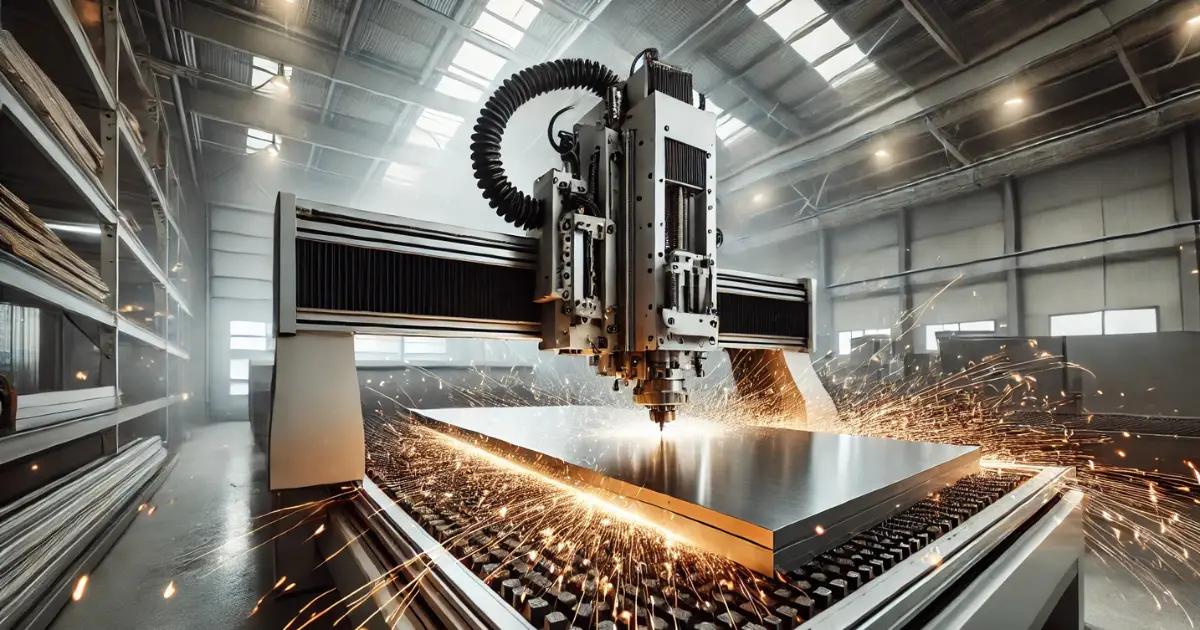
Cutting aluminum with a CNC router is entirely possible and increasingly common in hobbyist and small production shops, but it requires the right setup, tools, and techniques to achieve clean results without damaging your machine or breaking expensive bits. Unlike cutting wood or plastics, aluminum presents unique challenges including heat buildup, chip welding, and the need for precise feeds and speeds that balance cutting efficiency with tool life. Whether you’re a hobbyist looking to expand your CNC capabilities or a small shop owner considering aluminum projects, understanding the fundamentals of CNC routing aluminum will save you time, money, and frustration while opening up new project possibilities from custom enclosures to precision parts.
This comprehensive guide covers everything you need to know about cutting aluminum on a CNC router, from machine requirements and tool selection to optimal feeds and speeds, cooling methods, and troubleshooting common problems. By the end, you’ll have actionable knowledge to successfully machine aluminum parts with confidence.
Can You Cut Aluminum with a CNC Router? (Machine Requirements)
Yes, you absolutely can cut aluminum with a CNC router, but not every router is suitable for the task. The key difference between cutting aluminum and softer materials lies in the mechanical demands placed on your machine. Aluminum cutting requires rigidity, spindle power, and proper motion control that entry-level hobby routers may lack.
For successful aluminum cutting, your CNC router should meet these minimum requirements:
- Rigid frame construction: Steel or cast iron frames perform better than aluminum extrusion frames, which can flex under cutting forces. Any flex in your machine translates to chatter, poor surface finish, and potential tool breakage.
- Spindle power: A minimum of 1.5 kW (2 HP) spindle power is recommended, though 2.2 kW (3 HP) or higher is ideal. Higher power allows for more aggressive cutting and better chip evacuation.
- Spindle speed range: Your spindle should reliably run between 10,000-24,000 RPM. Many aluminum cutting operations work best in the 12,000-18,000 RPM range.
- Precise motion control: Ball screws or high-quality linear guides provide the accuracy needed for clean aluminum cuts. Belt-driven systems can work but may introduce positioning errors under load.
- Adequate work holding: A robust table with T-slots or a vacuum system capable of holding metal workpieces securely is essential.
Desktop CNC machines designed specifically for metal, such as the Nymolabs NBS-6040 or similar desktop CNC mills, are purpose-built for aluminum and offer the rigidity and precision needed. However, many woodworking CNC routers can be adapted for aluminum work with conservative cutting parameters and proper tooling.
The best CNC router for aluminum balances rigidity with workspace size for your intended projects. If you’re primarily doing sheet aluminum work under 1/4″ thick, a well-built desktop CNC router for aluminum with a 2+ HP spindle will serve you well. For thicker materials or production work, consider a dedicated desktop CNC machine for metal or a heavier router with enhanced rigidity.
Assessing Your Current Machine
Before attempting aluminum cuts, evaluate your machine honestly. Run your spindle at cutting speeds and observe for vibration or deflection. Check that all bolts and connections are tight. Test your machine’s ability to maintain position under lateral force by gently pushing against the gantry during a dry run. Excessive movement indicates you’ll need to either upgrade components or use very conservative cutting parameters.
Many hobbyists successfully cut aluminum on modified woodworking routers by taking shallow depth of cut (0.020-0.040″), using sharp single-flute or two-flute endmills, and employing proper cooling. The key is matching your cutting parameters to your machine’s capabilities rather than pushing beyond its limits.
Best CNC Router Bits for Cutting Aluminum
Selecting the right router bit for cutting aluminum is critical to success. Unlike wood bits with large flutes and aggressive geometries, aluminum router bits require specific designs to prevent chip welding, reduce heat buildup, and maintain sharp cutting edges under the demands of metal cutting.
The best bits for cutting aluminum on a CNC router include:
Single-Flute Endmills
Single-flute carbide endmills are often the best router bit for cutting aluminum on hobby-grade CNC routers. The large flute gullet provides excellent chip evacuation, reducing the risk of chip rewelding—a common problem where aluminum chips fuse back to the cutting edge and workpiece. Single-flute bits allow for higher feed rates per tooth, which is crucial for preventing built-up edge (BUE) formation.
For a 1/4″ router bit for aluminum, look for solid carbide construction with a 30-40 degree helix angle. These bits typically cost $15-40 depending on quality and coating. O-flute or “ZrN” coated single-flute endmills specifically designed for aluminum offer the best performance.
Two-Flute and Three-Flute Endmills
Two-flute and three-flute carbide router bits for aluminum provide better surface finish than single-flute bits and are ideal when you have sufficient spindle power and rigidity. The additional flutes create more cutting edges per revolution, resulting in smoother finishes, but they require higher feed rates to maintain proper chip load and prevent rubbing.
Three-flute bits work particularly well for finishing passes and when cutting aluminum sheet with a CNC router where surface quality matters. They’re also excellent for aluminum router bit with bearing applications where you need to follow a template or edge.
Specialty Aluminum Bits
Several specialized bit types excel in specific aluminum cutting applications:
- Compression bits: These combine upcut and downcut geometries to prevent burrs on both top and bottom surfaces when cutting aluminum sheet.
- Roughing endmills: Featuring serrated cutting edges, these remove material quickly during roughing operations before finishing with a standard endmill.
- Flush trim router bits for aluminum: When you need to trim aluminum to match a template, bearing-guided flush trim bits designed for metal provide clean, accurate results.
- Roundover router bits for aluminum: For edge profiling and decorative work, carbide roundover bits can create smooth radiused edges on aluminum parts.
Coating and Material Considerations
Uncoated carbide works well for aluminum, but coated bits offer advantages. ZrN (Zirconium Nitride) coatings are specifically designed for aluminum, providing lubricity that reduces chip welding. Avoid TiN (Titanium Nitride) coatings, which can actually increase aluminum adhesion. AlTiN coatings work but are generally overkill for CNC router applications.
Always choose solid carbide construction over HSS (High-Speed Steel) for aluminum. Carbide maintains its edge much longer and handles the heat generated during aluminum cutting far better than HSS, which dulls quickly and can lead to poor results.
Bit Size Selection
For general aluminum work on CNC routers, 1/4″ and 1/8″ diameter bits are most common. Larger bits (3/8″ and 1/2″) can remove material faster but require more spindle power and machine rigidity. Smaller bits (1/16″ and smaller) work for fine detail but are fragile and require very precise parameters.
Metal cutting router bits specifically marketed for aluminum typically feature optimized geometries that balance strength, chip evacuation, and cutting efficiency. Brands like Onsrud, Amana Tool, and Harvey Tool offer excellent options, though quality import bits from manufacturers like YG-1 provide good performance at lower cost points.
Optimal Feeds and Speeds for Aluminum on CNC Routers
Getting CNC router aluminum feeds and speeds correct is perhaps the most critical factor in successful aluminum cutting. Too slow, and you’ll generate excessive heat and risk chip welding; too fast, and you’ll break bits or overload your machine. The sweet spot depends on your specific machine, bit, and aluminum alloy, but understanding the principles allows you to dial in optimal parameters.
Understanding Chip Load
The fundamental concept in aluminum cutting is chip load—the thickness of material each cutting edge removes per revolution. Proper chip load ensures each flute takes a substantial enough bite to shear material cleanly rather than rubbing, which generates heat and dulls tools.
The formula is: Feed Rate (IPM) = RPM × Number of Flutes × Chip Load (inches)
For aluminum on CNC routers, target chip loads are:
- Single-flute bits: 0.003-0.006″ per tooth
- Two-flute bits: 0.002-0.004″ per tooth
- Three-flute bits: 0.001-0.003″ per tooth
Starting Parameters for Common Scenarios
Here are proven starting points for cutting aluminum on typical hobby and small shop CNC routers:
1/4″ Single-Flute Endmill in 6061 Aluminum:
- Spindle Speed: 16,000 RPM
- Feed Rate: 60-80 IPM (inches per minute)
- Depth of Cut: 0.030-0.050″ per pass
- Stepover: 40-50% of bit diameter
1/8″ Two-Flute Endmill in 6061 Aluminum:
- Spindle Speed: 18,000 RPM
- Feed Rate: 50-70 IPM
- Depth of Cut: 0.020-0.040″ per pass
- Stepover: 30-40% of bit diameter
1/4″ Three-Flute Endmill (Finishing Pass):
- Spindle Speed: 15,000 RPM
- Feed Rate: 80-100 IPM
- Depth of Cut: 0.010-0.020″ per pass
- Stepover: 10-20% of bit diameter
Fast or Slow: The Aluminum Cutting Debate
A common question is: Is it better to cut aluminum fast or slow? The answer is counterintuitive for those coming from woodworking—you want to cut aluminum relatively fast with appropriate chip load. Cutting too slowly causes the bit to rub rather than cut, generating excessive heat and causing aluminum to weld to the cutting edge.
However, “fast” is relative to your machine’s capabilities. A rigid industrial CNC might run 200+ IPM, while a hobby router might be limited to 60-80 IPM. The key is maintaining proper chip load at whatever speed your machine can reliably achieve.
Adjusting for Different Aluminum Alloys
Softer aluminum alloys (1xxx, 3xxx series) are more prone to chip welding and may require 10-20% higher feed rates. Harder alloys (7xxx series) can tolerate slightly more conservative feeds but may require reduced depth of cut. The ubiquitous 6061-T6 aluminum represents a middle ground and is what most published parameters target.
Adaptive Clearing and Toolpath Strategies
Modern CAM software offers adaptive clearing toolpaths that maintain consistent chip load even in corners and tight spaces. These strategies vary feed rate and engagement angle to prevent tool overload, allowing for more aggressive overall material removal rates. When milling aluminum with a CNC router, adaptive toolpaths can increase efficiency by 30-50% compared to traditional pocket clearing.
Climb milling (where the bit rotation matches the feed direction) is generally preferred for aluminum as it produces better surface finish and reduces tool wear. However, ensure your machine has minimal backlash, or conventional milling may be necessary to prevent bit grabbing.
Cooling Methods: Mist, Flood, and Dry Cutting Aluminum
Proper cooling is essential when cutting aluminum on a CNC router. Aluminum’s high thermal conductivity means heat builds up quickly at the cutting edge, and without adequate cooling, you’ll experience rapid tool wear, poor surface finish, and chip welding. The question “Should I use coolant when cutting aluminum?” has a nuanced answer depending on your setup and requirements.
Flood Coolant Systems
Flood coolant provides the most effective cooling and lubrication for aluminum cutting. A dedicated coolant pump delivers a continuous stream of cutting fluid directly to the cutting zone, washing away chips while keeping the tool and workpiece cool. Flood coolant systems are standard on industrial CNC machines and can be retrofitted to many hobby routers.
Benefits of flood coolant include:
- Maximum heat dissipation and tool life extension
- Excellent chip evacuation, especially from deep pockets
- Improved surface finish due to reduced friction
- Ability to run more aggressive cutting parameters
The downsides are mess, maintenance, and cost. You’ll need a coolant tank, pump, plumbing, and proper chip collection to prevent coolant from spreading throughout your shop. Water-soluble cutting fluids designed for aluminum (not general-purpose coolants) work best and typically cost $30-80 per gallon of concentrate.
Mist Coolant (Minimum Quantity Lubrication)
Mist cooling systems atomize small amounts of cutting fluid and deliver it as a fine spray to the cutting area. This approach provides many benefits of flood coolant with dramatically less mess and fluid consumption. Mist systems are increasingly popular for desktop CNC machines for aluminum and small shop applications.
A basic mist system consists of an air compressor line, a mist generator unit, and appropriate cutting fluid. Systems range from $100-500 depending on sophistication. Use vegetable-based or synthetic mist fluids specifically formulated for aluminum—never use straight cutting oil in a mist system as it creates harmful aerosols.
Mist cooling is particularly effective when cutting aluminum sheet with a CNC router, where the relatively shallow cuts don’t trap chips as deeply as pocket milling operations.
Air Blast Cooling
Compressed air directed at the cutting zone provides chip evacuation and some cooling through evaporation, though it’s less effective than liquid coolants. Air blast works acceptably for shallow cuts in aluminum with conservative parameters, especially when combined with specialized dry-cutting endmills.
The main advantage is simplicity—if you have shop air, you only need a nozzle and some tubing. The disadvantages include limited cooling capacity, potential for chips to blow around your shop, and the noise of continuous air flow.
Dry Cutting Aluminum
Can you cut aluminum dry (without any coolant)? Yes, but with significant limitations. Dry cutting requires:
- Very sharp, coated endmills designed for dry aluminum cutting
- Conservative cutting parameters (reduced speeds and feeds)
- Shallow depth of cut (typically under 0.030″)
- Excellent chip evacuation to remove heat
- Frequent tool inspection and replacement
Dry cutting works best for thin aluminum sheet, short production runs, or situations where coolant isn’t practical. Many hobbyists successfully cut aluminum dry on desktop CNC routers by taking light passes and allowing adequate time between cuts for cooling.
Alcohol and Alternative Coolants
Some CNC operators use isopropyl alcohol (IPA) as a coolant alternative. Alcohol provides lubrication and evaporates quickly, leaving no residue. However, it’s flammable, expensive for continuous use, and provides less cooling than proper cutting fluids. Use alcohol only for light-duty work and ensure adequate ventilation.
WD-40 and similar penetrating oils work in a pinch for very light aluminum cutting but aren’t designed as cutting fluids and can leave residues that interfere with subsequent operations like anodizing or welding.
Choosing Your Cooling Method
For serious aluminum work or production environments, invest in flood coolant or at minimum a quality mist system. For occasional aluminum projects on a hobby router, air blast or conservative dry cutting with appropriate bits may suffice. The best desktop CNC for aluminum typically includes provisions for coolant delivery, recognizing its importance for consistent results.
Chip Evacuation and Dust Collection for Aluminum
Effective chip evacuation is critical when cutting aluminum with a CNC router, both for quality results and machine longevity. Unlike wood chips that are relatively harmless, aluminum chips are sharp, can damage machine components, and present unique collection challenges.
Why Chip Evacuation Matters
Poor chip evacuation causes several problems:
- Chip recutting: Chips that aren’t cleared get recut by the endmill, dulling the tool and creating poor surface finish
- Chip welding: Trapped chips can weld to the cutting edge or workpiece, ruining both
- Heat buildup: Chips carry away heat; when they accumulate, temperature rises dramatically
- Dimensional inaccuracy: Chips trapped under the workpiece can cause it to lift, leading to incorrect cutting depth
- Machine damage: Aluminum chips can scratch precision surfaces, jam in linear bearings, and cause premature wear
Dust Collection System Considerations
Standard woodworking dust collectors struggle with aluminum chips for several reasons. The chips are heavier than wood dust, often stringy rather than powdery, and can create fire hazards if mixed with fine dust in the presence of static electricity.
For aluminum cutting, consider these dust collection approaches:
High-velocity shop vacuum: A powerful shop vacuum (6+ HP) with a cyclone separator provides excellent chip collection for small-scale aluminum work. The cyclone drops heavy chips into a collection bin before they reach the filter, extending filter life and maintaining suction.
Dedicated metal chip collector: Industrial chip collectors designed for metal use larger collection bins, fire-resistant filters, and higher air velocity than wood dust collectors. These are ideal for production aluminum work but represent a significant investment ($500-3000+).
Coolant-integrated collection: When using flood coolant, chips typically wash into the coolant tank where they settle or are caught by filters. This is the cleanest approach but requires proper coolant system design.
Toolpath Strategies for Better Evacuation
Your CAM programming significantly impacts chip evacuation. Strategies that help include:
- Avoiding deep pockets with narrow openings where chips can’t escape
- Using helical ramping rather than plunge cuts to create an exit path for chips
- Programming periodic retract moves to clear chips during long cuts
- Orienting parts so gravity assists chip evacuation when possible
- Using peck drilling cycles for holes deeper than 2x diameter
Manual Chip Management
Even with good collection systems, some manual chip management is necessary when milling aluminum with a CNC router. Keep a brush and vacuum handy to clear chips between operations. Never use compressed air to blow chips off the table while the machine is running—flying aluminum chips are dangerous and can damage precision components.
For deep pocket cuts, consider programming a mid-operation pause to vacuum out accumulated chips. This 30-second interruption can prevent tool breakage and improve final part quality significantly.
Preventing Chip Buildup on the Bit
Aluminum chips sometimes build up on the endmill shank or collet, especially when cutting without coolant. This buildup can cause runout and vibration. Periodically stop and clean the bit with a brass brush and solvent. Some operators apply a thin coat of dry lubricant (like PTFE spray) to the shank to reduce chip adhesion, though this must be reapplied regularly.
Step-by-Step Process for Cutting Aluminum on a CNC Router
Successfully cutting aluminum on a CNC router requires methodical preparation and execution. This step-by-step process incorporates best practices for consistent results, whether you’re working on a desktop CNC machine for aluminum or a larger router adapted for metal cutting.
Step 1: Material Selection and Preparation
Start with the right aluminum alloy for your application. 6061-T6 aluminum is the most common choice for CNC work, offering good machinability, strength, and availability. Ensure your material is flat and free from surface oxidation or contamination. If cutting aluminum sheet, verify it’s within your machine’s capability—most hobby routers handle up to 1/4″ thick aluminum reliably, while thicker material requires more robust machines.
Cut your stock slightly oversized (1/8″ to 1/4″ on each dimension) to allow for edge cleanup and to provide clamping area outside your finished part boundary.
Step 2: Secure Work Holding
Aluminum work holding is critical. The material must not move even slightly during cutting. Options include:
- T-slot clamps: Use toe clamps or step clamps to secure the workpiece directly to your table. Position clamps to avoid tool paths.
- Fixture plates: Machine a sacrificial MDF or aluminum fixture plate with precisely positioned holes for bolting down your workpiece.
- Vacuum hold-down: For sheet aluminum, a vacuum table provides excellent holding force without obstructing the work area. Ensure sufficient contact area for adequate grip.
- Double-sided tape: For very light cuts in thin material, quality double-sided tape can work, though it’s the least reliable method.
Always test your work holding by attempting to manually shift the workpiece before starting the cut. Any movement indicates inadequate clamping.
Step 3: Tool Selection and Installation
Choose your CNC aluminum cutting tools based on the operation. For general profiling and pocketing, a single-flute or two-flute carbide endmill in 1/4″ or 1/8″ diameter works well. Inspect the bit for damage or dullness—any chips or buildup on the cutting edges will cause problems.
Install the bit with proper collet engagement (at least 3/4 of the shank length) and tighten securely. Verify runout if possible; excessive runout (over 0.002″) will cause poor surface finish and premature tool wear. Clean the collet and spindle taper before installation to ensure concentricity.
Step 4: CAM Programming
Program your toolpaths with aluminum-appropriate parameters. Key considerations:
- Set feeds and speeds according to your machine capabilities and bit selection (see the feeds and speeds section above)
- Use climb milling for finishing passes
- Program adequate lead-in and lead-out moves to prevent tool marks
- For aluminum CNC design, add corner radii rather than sharp internal corners—the radius should be at least equal to your tool diameter
- Include tabs or onion-skin to prevent parts from moving when cut free
- Consider roughing and finishing passes for best results—rough with aggressive parameters, finish with light cuts for surface quality
Simulate your toolpaths to verify no collisions occur and that your work holding won’t interfere with tool movement.
Step 5: Set Up Cooling/Lubrication
Prepare your cooling method before starting the cut. If using flood coolant, verify the pump is working and fluid is directed at the cutting zone. For mist systems, check that the air pressure is correct (typically 60-80 PSI) and fluid reservoir is full. Even for dry cutting, set up air blast or have a manual spray bottle with cutting fluid ready for periodic application.
Step 6: Zero and Probe
Carefully zero your machine on the workpiece. For aluminum, precise Z-height is critical as even small errors can cause full-depth cuts or air cutting. Use a touch probe or precision touch-off method. Double-check your X and Y zeros align with your CAM program’s origin.
Step 7: Run a Test Cut
Before committing to a full part, run a test cut if possible. This might be a simple pocket or profile in a scrap area of your material. Observe the cut quality, listen for unusual sounds, and verify chips are evacuating properly. Check that your cooling system is reaching the cutting zone effectively.
Step 8: Execute the Full Cut
Start your program and monitor the first few passes closely. Watch for:
- Proper chip formation (chips should be distinct pieces, not dust or long strings)
- Adequate cooling (no smoke or discoloration of the aluminum)
- Stable cutting (no excessive vibration or chatter)
- Chip evacuation (chips clearing the cut area, not accumulating)
Don’t leave the machine unattended during aluminum cutting, especially on the first run of a new program. Be ready to pause or stop if problems develop.
Step 9: Post-Processing
After cutting, remove the part carefully—aluminum edges are sharp. Deburr edges with a file or deburring tool. If you used coolant, clean the part thoroughly with solvent or detergent to remove residues. Inspect dimensions and surface finish, noting any issues for parameter adjustment on future parts.
Step 10: Machine and Tool Maintenance
Clean aluminum chips from your machine thoroughly after each session. Check for chips in linear rails, lead screws, and other precision components. Inspect your endmill for wear—even if it looks okay, aluminum cutting dulls tools faster than wood, so track usage and replace bits proactively.
Common Problems When Cutting Aluminum (and How to Fix Them)
Even with proper setup, you’ll likely encounter challenges when cutting aluminum with a CNC router. Understanding common problems and their solutions will save time and prevent costly mistakes.
Problem: Built-Up Edge (BUE) and Chip Welding
Symptoms: Aluminum accumulates on the cutting edge, creating a rough surface finish. The bit appears to have aluminum “welded” to it. Parts have poor dimensional accuracy and rough surfaces.
Causes: Insufficient chip load (cutting too slowly), inadequate cooling, or dull tooling.
Solutions:
- Increase feed rate to achieve proper chip load—this is the most common fix
- Improve cooling with mist or flood coolant
- Use a fresh, sharp endmill—dull tools exacerbate BUE
- Switch to a single-flute bit for better chip evacuation
- Reduce spindle speed slightly if already at high feed rates
Problem: Chatter and Poor Surface Finish
Symptoms: Visible vibration marks on cut surfaces, excessive noise during cutting, wavy or rippled finish.
Causes: Insufficient machine rigidity, tool deflection, incorrect speeds and feeds, or tool stickout too long.
Solutions:
- Reduce tool stickout to minimum necessary length
- Decrease depth of cut and increase stepover (take wider, shallower passes)
- Verify all machine bolts and connections are tight
- Try different spindle speeds—sometimes a 10-15% change eliminates resonance
- Use a shorter, more rigid endmill
- Add mass to the gantry or workpiece to dampen vibration
Problem: Tool Breakage
Symptoms: Endmill snaps during cutting, often with a loud crack.
Causes: Excessive feed rate or depth of cut, inadequate chip evacuation causing chip packing, tool deflection, or hitting clamps/fixtures.
Solutions:
- Reduce cutting parameters—depth of cut especially
- Improve chip evacuation with better dust collection or coolant
- Verify toolpaths don’t collide with work holding
- Use larger diameter tools when possible for increased rigidity
- Check for workpiece movement—loose work holding can cause sudden tool loading
Problem: Dimensional Inaccuracy
Symptoms: Parts measure incorrectly, holes are wrong size, features don’t align with CAD model.
Causes: Tool deflection, incorrect tool diameter compensation, thermal expansion, or workpiece movement.
Solutions:
- Measure your actual tool diameter and update CAM tool library
- Account for tool deflection by using spring passes (finishing passes at same depth)
- Allow material and machine to reach thermal equilibrium before precision cuts
- Verify work holding is secure and workpiece isn’t lifting
- Calibrate machine steps per unit if consistently over/undersized
Problem: Excessive Heat and Smoking
Symptoms: Visible smoke, discolored aluminum, burning smell, rapid tool dulling.
Causes: Inadequate cooling, too slow feed rate causing rubbing, or dull tooling.
Solutions:
- Add or improve cooling—this is critical
- Increase feed rate to proper chip load
- Replace dull endmills immediately
- Reduce spindle speed if already at appropriate feed rates
- Take shallower passes to reduce heat generation
Problem: Burrs and Edge Quality Issues
Symptoms: Rough edges, burrs on top or bottom of cut, torn rather than sheared material.
Causes: Dull tooling, incorrect cutting direction, inadequate support of thin sections, or exit strategy issues.
Solutions:
- Use sharp, appropriate endmills—this is the primary solution
- Employ climb milling for finishing passes
- Add backing material beneath thin aluminum sheet to support the cut
- Use compression bits for sheet material to minimize top and bottom burrs
- Program proper lead-out moves to prevent tool marks at exit points
Problem: Chips Not Evacuating
Symptoms: Chips accumulate in cut area, packing in pockets or around the tool.
Causes: Insufficient dust collection, poor toolpath design, or inadequate coolant flow.
Solutions:
- Increase dust collection suction or reposition collection nozzle
- Use flood coolant or mist to wash chips away
- Program periodic retract moves to clear chips
- Redesign deep pockets with better chip evacuation paths
- Use bits with larger flute gullets (single-flute or two-flute)
Safety Considerations for CNC Aluminum Cutting
Cutting aluminum on a CNC router presents unique safety hazards beyond typical woodworking. Understanding and mitigating these risks protects both you and your equipment.
Personal Protective Equipment (PPE)
Always wear appropriate PPE when operating CNC equipment for aluminum cutting:
- Safety glasses: Mandatory at all times. Aluminum chips fly at high velocity and can cause serious eye injury. Consider a face shield for additional protection, especially when clearing chips manually.
- Hearing protection: Aluminum cutting is significantly louder than wood. Use earplugs or earmuffs rated for at least 25 dB reduction.
- Gloves: Wear cut-resistant gloves when handling aluminum stock or finished parts—edges are razor-sharp. Remove gloves when operating the machine to prevent entanglement.
- Respiratory protection: If dry cutting or using mist coolant, wear a respirator rated for metal particulates and oil mist (N95 minimum, P100 preferred).
Fire Hazards
Aluminum dust and fine chips are flammable and can create explosive dust clouds under certain conditions. While CNC routing produces larger chips than grinding operations, accumulation of fine aluminum dust still presents risk:
- Keep a fire extinguisher rated for metal fires (Class D) near your CNC area
- Never allow aluminum dust to accumulate in dust collection systems mixed with wood dust
- Avoid creating static electricity buildup—ground your dust collection system
- Don’t use compressed air to blow aluminum dust around the shop
- Clean up aluminum chips and dust regularly rather than allowing accumulation
Machine Guarding and Emergency Stops
Ensure your CNC router has proper guarding to contain flying chips and prevent accidental contact with moving parts during operation. An easily accessible emergency stop button is essential—know where it is and don’t hesitate to use it if anything seems wrong.
Never reach into the cutting area while the machine is running, even if it appears to be moving slowly. CNC machines can execute rapid moves without warning.
Coolant Safety
If using flood coolant or mist systems:
- Use cutting fluids designed for CNC applications, not automotive oils or random lubricants
- Ensure adequate ventilation—coolant mist can irritate respiratory systems
- Wear waterproof footwear if using flood coolant to prevent slips
- Monitor coolant for bacterial growth (indicated by foul smell) and replace contaminated fluid
- Never use flammable fluids like gasoline or pure alcohol as coolants
Electrical Safety
Aluminum is conductive. Ensure your machine’s electrical components are properly grounded and protected from metal chips. Chips bridging electrical contacts can cause shorts, fires, or electrocution hazards. Regularly inspect your machine for chip accumulation in electrical enclosures and clean thoroughly.
Handling Sharp Edges
Freshly cut aluminum has extremely sharp edges and burrs. Always deburr parts before handling extensively. When removing parts from the machine, approach carefully and use appropriate tools rather than bare hands when possible. Keep a first aid kit with supplies for treating cuts readily available.
Proper Training and Supervision
Never operate CNC equipment without proper training. If you’re new to CNC aluminum cutting, start with conservative parameters and small test pieces. Consider taking a course or working with an experienced operator before attempting complex projects. Never leave the machine unattended during aluminum cutting operations.
Aluminum Grades: Which Types Cut Best on CNC Routers
Not all aluminum is created equal when it comes to CNC machining. The aluminum alloy you choose significantly impacts cutting performance, tool life, and final part quality. Understanding which grades work best for CNC router applications helps you select appropriate material for your projects.
6061-T6 Aluminum: The CNC Standard
6061-T6 is the most popular aluminum alloy for CNC work and the best overall choice for router applications. This magnesium-silicon alloy offers an excellent balance of machinability, strength, corrosion resistance, and availability. The T6 temper (solution heat-treated and artificially aged) provides good hardness without being brittle.
6061-T6 machines cleanly with minimal chip welding when proper parameters are used. It’s readily available in sheet, plate, and bar stock at reasonable prices from metal suppliers and online sources. For general CNC aluminum projects, start with 6061-T6.
7075-T6 Aluminum: High Strength, Harder to Machine
7075-T6 is a zinc-aluminum alloy offering significantly higher strength than 6061, making it popular for aerospace and high-stress applications. However, it’s harder and more abrasive, requiring sharper tools, more frequent tool changes, and often reduced cutting parameters.
7075 can be machined on CNC routers but demands more from your machine in terms of rigidity and spindle power. Expect 20-30% faster tool wear compared to 6061. Use this alloy only when its superior strength is necessary for your application.
2024-T3 Aluminum: Aerospace Grade
2024-T3 is a copper-aluminum alloy with excellent fatigue resistance, commonly used in aircraft structures. It machines reasonably well, though not quite as easily as 6061. The material is more expensive and less commonly available than 6061, making it suitable primarily for specialized applications requiring its specific properties.
5052-H32 Aluminum: Excellent for Sheet Work
5052-H32 is a magnesium-aluminum alloy with excellent corrosion resistance, particularly in marine environments. It’s softer than 6061, making it easier to cut but more prone to chip welding if feeds aren’t adequate. This alloy is popular for sheet metal applications and is commonly available in thin gauges.
When cutting aluminum sheet with a CNC router, 5052 is an excellent choice for enclosures, panels, and decorative work. It also anodizes beautifully if surface finishing is part of your project.
6063-T5 Aluminum: Extrusion Grade
6063-T5 is similar to 6061 but optimized for extrusion processes. It’s slightly softer and weaker than 6061 but machines well and is often less expensive. If you’re cutting extruded profiles or need material primarily for its shape rather than maximum strength, 6063 works excellently.
1100 and 3003: Pure and Nearly Pure Aluminum
These soft, highly ductile alloys are essentially pure aluminum (1100) or aluminum with minimal alloying elements (3003). They’re extremely easy to form and have excellent corrosion resistance but very low strength.
For CNC routing, these alloys are challenging because they’re so soft and sticky. Chip welding is a constant problem, and achieving good surface finish requires very sharp tools and high feed rates. Use these alloys only when their specific properties (electrical conductivity, corrosion resistance, formability) are essential.
Cast Aluminum Alloys
Cast aluminum alloys (like 356 or A380) are occasionally machined on CNC routers. These materials contain silicon for improved casting characteristics, making them somewhat abrasive. They machine differently than wrought alloys, often producing more powdery chips. Cast aluminum can work for CNC routing but isn’t ideal—stick with wrought alloys when possible.
Temper Designations Matter
The temper (heat treatment state) significantly affects machinability:
- T6 temper: Solution heat-treated and artificially aged—offers best combination of strength and machinability for most alloys
- T4 temper: Solution heat-treated and naturally aged—softer than T6, can be more prone to chip welding
- O temper: Annealed (soft)—very difficult to machine cleanly due to excessive ductility
- H tempers: Strain-hardened (for non-heat-treatable alloys)—machinability varies by degree of hardening
Sourcing Aluminum for CNC Projects
For hobbyists and small shops, aluminum is available from:
- Local metal suppliers (often with minimum purchase requirements)
- Online metal retailers like OnlineMetals, MetalsDepot, or McMaster-Carr
- Services like Send Cut Send that provide pre-cut aluminum stock
- Local fabrication shops may sell offcuts at reduced prices
When searching for “metal cutting near me” or “CNC cutting near me,” you may find local services that can provide both material and cutting if you don’t want to machine parts yourself. Similarly, “aluminum CNC cutting near me” or “aluminum CNC cutting service” searches can locate job shops for production work.
For those considering purchasing equipment, searching “aluminum CNC machine price” or “aluminum CNC cutting machine price” provides insight into costs for dedicated metal-cutting CNCs, which range from $3,000 for basic desktop units to $50,000+ for industrial machines.
Expanding Your Aluminum CNC Capabilities
Once you’ve mastered basic aluminum cutting on your CNC router, numerous opportunities exist to expand your capabilities and take on more complex projects. Understanding the broader landscape of CNC aluminum work helps you grow your skills and potentially your business.
CNC Aluminum Projects to Build Skills
Start with projects that progressively challenge your abilities:
- Nameplates and signage: Simple 2D profiles in thin aluminum sheet build confidence with basic cutting
- Electronics enclosures: Boxes with precise dimensions teach you about tolerances and assembly considerations
- Brackets and mounting hardware: Functional parts with multiple features develop your CAD and CAM skills
- Decorative panels: Intricate 2.5D designs with pocketing and engraving expand your artistic capabilities
- Mechanical components: Gears, pulleys, and machine parts require precision and teach advanced machining concepts
When to Consider a Dedicated Metal CNC
If aluminum work becomes a significant part of your projects, you may outgrow a converted woodworking router. Signs you need a dedicated metal CNC include:
- Frequent tool breakage due to machine flex
- Inability to achieve required tolerances (typically ±0.005″ or tighter)
- Need for deeper cuts or harder materials than your router can handle
- Production volume that justifies the investment
Desktop CNC mills designed specifically for metal offer significant advantages including enclosed work areas, integrated coolant systems, and rigidity that enables more aggressive cutting. The best desktop CNC machine for metal balances workspace size with rigidity and precision.
Combining Aluminum with Other Processes
CNC-cut aluminum parts often benefit from secondary operations:
- Anodizing: Electrochemical surface treatment that adds color and corrosion resistance
- Powder coating: Durable painted finish in various colors
- Bead blasting: Creates uniform matte surface finish
- Tapping and threading: Adding threaded holes for assembly
- Bending: Combining CNC-cut flat patterns with brake forming for 3D parts
Understanding these processes informs your CNC aluminum design, ensuring parts are optimized for the complete manufacturing workflow.
Outsourcing vs. In-House Production
Sometimes outsourcing aluminum cutting makes more sense than doing it yourself. Services offering “laser cutting near me” or “CNC cutting near me” can produce parts when:
- You need materials thicker than your machine can handle
- Tolerances exceed your machine’s capabilities
- Production volume is too high for your capacity
- The part requires operations you can’t perform (like laser cutting)
Many shops use a hybrid approach—prototyping on their own CNC router, then outsourcing production runs to professional aluminum CNC cutting services. This balances design iteration speed with production economics.
Continuing Education
CNC aluminum machining is a deep field. Continue learning through:
- Online forums and communities (CNCZone, Practical Machinist, Reddit’s r/CNC)
- YouTube channels focused on CNC machining
- Manufacturer training resources from tool companies
- Local makerspaces or community colleges offering machining courses
- Books on CNC programming, machining theory, and CAM software
The investment in knowledge pays dividends in improved results, reduced tool costs, and expanded project possibilities.
Conclusion: Mastering Aluminum Cutting on Your CNC Router
Cutting aluminum with a CNC router opens up a world of project possibilities, from functional mechanical parts to decorative metalwork. While aluminum presents challenges compared to wood or plastic—requiring specific tooling, precise parameters, and proper cooling—it’s entirely achievable on hobby and small shop CNC routers with the right approach.
Success comes down to understanding the fundamentals: selecting appropriate carbide endmills designed for aluminum, dialing in feeds and speeds that maintain proper chip load, implementing effective cooling to manage heat, and ensuring chips evacuate cleanly from the cut. Start conservatively with proven parameters for your machine and material, then optimize based on results.
Remember that every machine is different. The feeds and speeds that work perfectly on a rigid industrial CNC may need significant adjustment for a lighter hobby router. Pay attention to what your machine is telling you through sound, vibration, and chip formation, and adjust accordingly. Keep detailed notes on what works so you can replicate success.
Most importantly, prioritize safety. Aluminum cutting involves sharp chips, potential fire hazards, and powerful machinery. Proper PPE, machine guarding, and attentive operation protect you and your equipment.
Whether you’re cutting aluminum sheet for an electronics enclosure, milling brackets for a custom project, or exploring CNC aluminum projects as a business opportunity, the techniques covered in this guide provide a solid foundation. Start with simple projects to build confidence, invest in quality tooling appropriate for your work, and don’t hesitate to seek advice from the CNC community when challenges arise.
With patience, proper technique, and attention to detail, your CNC router can reliably produce high-quality aluminum parts that expand your making capabilities far beyond wood and plastic. The initial learning curve is real, but the satisfaction of successfully machining metal on your own equipment makes the effort worthwhile.
Frequently Asked Questions
Can you cut aluminum with a CNC router?
Yes, you can absolutely cut aluminum with a CNC router, and it’s becoming increasingly common in both hobbyist and professional shops. However, success requires the right equipment including a rigid machine frame, appropriate cutting bits (typically single or double-flute carbide end mills), proper feeds and speeds, and effective cooling methods. When cutting aluminum with a CNC router, you’ll need to run higher spindle speeds (18,000-24,000 RPM) with moderate feed rates to prevent chip welding and achieve clean cuts.
What is the best CNC bit for cutting aluminum?
The best bits for cutting aluminum on a CNC router are single-flute or double-flute carbide end mills with polished flutes and sharp cutting edges. Single-flute bits are ideal for softer aluminum alloys as they provide excellent chip evacuation and reduce heat buildup, while two-flute bits offer faster material removal for production work. Look for bits specifically designed for aluminum with a 30-35 degree helix angle and consider ZrN (Zirconium Nitride) coated bits for extended tool life and better chip release.
Should I use coolant when cutting aluminum with a CNC router?
Yes, using coolant is highly recommended when cutting aluminum with a CNC router to prevent chip welding, reduce heat buildup, and extend tool life. The most popular options include air blast (for light cuts), flood coolant systems, or mist coolant delivery, with specialized aluminum cutting fluids or even WD-40 working effectively. Proper cooling prevents the aluminum chips from re-welding to the bit or workpiece, which is one of the most common causes of poor surface finish and broken tools.
What is the best RPM and feed rate to cut aluminum?
For cutting aluminum on a CNC router, optimal spindle speeds typically range from 18,000 to 24,000 RPM with feed rates between 40-100 inches per minute (IPM), depending on your bit diameter and depth of cut. A common starting point is 18,000 RPM with 50-60 IPM for a 1/8″ single-flute bit taking 0.030-0.050″ depth of cut per pass. The key is maintaining high spindle speed with moderate feed rates to achieve proper chip load (0.001-0.003″ per flute) that clears chips efficiently without causing excessive heat or tool deflection.
Is upcut or downcut better for aluminum on a CNC router?
Upcut bits are generally better for cutting aluminum on a CNC router because they provide superior chip evacuation, pulling chips up and out of the cut. This prevents chip re-welding and heat buildup, which are critical concerns when machining aluminum. Downcut bits can pack chips into the cut and cause overheating, though they may be useful for finishing passes on the top surface where a cleaner edge is needed.
What type of coolant should I use for cutting aluminum?
The best coolants for cutting aluminum include water-soluble synthetic cutting fluids, specialized aluminum cutting oils, or even readily available options like WD-40 or kerosene for hobbyist applications. Water-based coolants should be specifically formulated for aluminum to prevent corrosion and typically mixed at 5-10% concentration. Many CNC router operators successfully use mist coolant systems with synthetic fluids or air blast combined with occasional WD-40 application for lighter cutting operations.
Do I need a special CNC router to cut aluminum?
While you don’t necessarily need a specialized machine, cutting aluminum successfully requires a CNC router with adequate rigidity, minimal flex, and sufficient spindle power (at least 1.5-2 HP). Your machine should have a sturdy frame (preferably steel or heavy-duty aluminum extrusion), quality linear guides or rails, and minimal backlash in the drive system. Lightweight hobby machines can cut thin aluminum sheet with conservative parameters, but thicker material and production work demand more robust equipment designed to handle the cutting forces.
What depth of cut should I use when cutting aluminum?
For cutting aluminum with a CNC router, start with shallow depths of cut between 0.030″ and 0.050″ per pass, which allows for efficient chip evacuation and reduces tool stress. The optimal depth depends on your bit diameter, machine rigidity, and material thickness—a general rule is to cut no deeper than half your bit diameter in a single pass. Multiple shallow passes are always safer than aggressive single passes, especially when you’re learning the capabilities of your specific setup.
Can I cut 6061 aluminum with a CNC router?
Yes, 6061 aluminum is actually one of the best alloys for cutting with a CNC router due to its excellent machinability and moderate hardness. This popular alloy cuts cleanly with proper speeds, feeds, and cooling, making it ideal for hobbyist and small production applications. Use cutting speeds around 400-600 surface feet per minute (SFM), which translates to approximately 18,000-24,000 RPM for typical 1/8″ to 1/4″ router bits, and you’ll achieve excellent results with proper chip evacuation.
What are common mistakes when cutting aluminum on a CNC router?
The most common mistakes include running too slow (causing chip welding), inadequate cooling or chip evacuation, using wood-cutting bits instead of proper end mills, and taking cuts that are too aggressive for the machine’s rigidity. Other frequent errors include failing to secure the workpiece properly, not using climb milling direction, and attempting to cut without any lubrication. Starting with conservative parameters and gradually optimizing based on results is always the safest approach when cutting aluminum with a CNC router.
You May Also Like

Car Finance Claims Explained: Check for Hidden Costs

Water Taxi Market 2025: Sustainable Growth Forecast & Trends

Visionary Leader Impact: Howard Wilner’s Expert Insights