FAB Balance Check: Online, SMS, ATM & Mobile App Methods

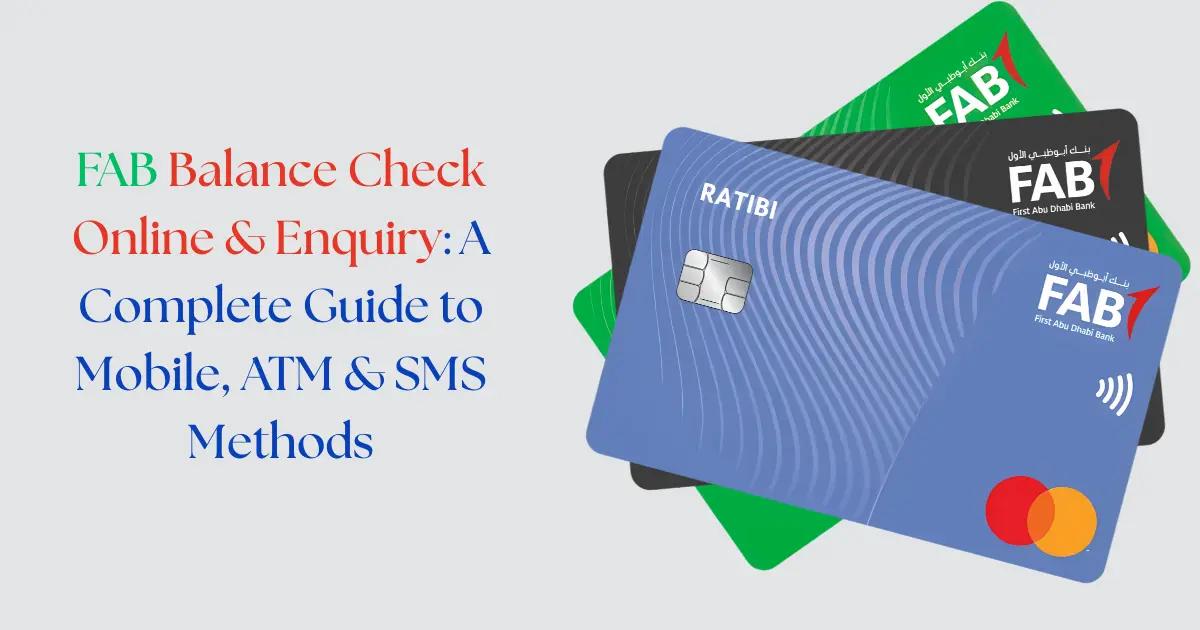
If you’re a First Abu Dhabi Bank (FAB) customer looking for quick and reliable ways to perform a FAB balance check, you’ve come to the right place. Whether you need to verify your account balance before making a purchase, track your spending, or simply stay on top of your finances, FAB offers multiple convenient methods to check your balance instantly. From mobile banking apps and SMS services to ATM inquiries and online banking portals, this comprehensive guide covers every method available for FAB balance enquiry in 2026, complete with step-by-step instructions, exact codes, and troubleshooting tips to ensure you can access your account information whenever you need it.
What is FAB Bank and Why Check Your Balance Regularly?
First Abu Dhabi Bank (FAB) is the largest bank in the United Arab Emirates and one of the most prominent financial institutions in the Middle East and North Africa region. Formed in 2017 through the merger of First Gulf Bank and National Bank of Abu Dhabi, FAB serves millions of customers with a comprehensive range of banking products including savings accounts, current accounts, salary accounts, prepaid cards, and credit cards.
Regular balance checking is not just a good financial habit—it’s essential for maintaining control over your finances. By performing frequent FAB balance check online activities, you can monitor unauthorized transactions immediately, avoid overdraft fees, plan your expenses more effectively, and ensure you have sufficient funds before making important payments. Financial experts recommend checking your account balance at least weekly, or daily if you’re managing a tight budget or expecting important transactions.
For FAB customers, balance monitoring becomes even more critical when managing salary accounts, prepaid cards like the Ratibi card, or Magnati payment solutions. Understanding your available balance helps you make informed spending decisions and prevents the embarrassment of declined transactions at critical moments.
FAB Balance Check Methods: Quick Comparison Table
Before diving into detailed instructions, here’s a comprehensive comparison of all available methods for First Abu Dhabi Bank balance check:
| Method | Speed | Convenience | Charges | Best For |
|---|---|---|---|---|
| FABMobile App | Instant | Very High | Free | Regular users with smartphones |
| SMS Balance Check | 1-2 minutes | High | Standard SMS rates | Quick checks without internet |
| ATM Inquiry | Instant | Medium | Free at FAB ATMs | When near an ATM |
| Online Banking (Desktop) | Instant | High | Free | Detailed transaction review |
| Customer Care Phone | 2-5 minutes | Low | Call charges may apply | When other methods fail |
Each method has its advantages depending on your situation, location, and device availability. The FAB mobile banking balance check through the app remains the most popular choice due to its instant access and comprehensive features.
Method 1: Check FAB Balance via Mobile Banking App (FABMobile)
The FAB balance checking online app, officially called FABMobile, is the most convenient and feature-rich method for checking your account balance. This method works for all FAB account types including savings accounts, current accounts, salary accounts, and even prepaid cards.
Step-by-step instructions for FAB mobile banking balance check:
- Download the FABMobile app from the Apple App Store (iOS) or Google Play Store (Android). Search for “FAB Mobile” or “First Abu Dhabi Bank” to find the official app.
- Install and open the app on your smartphone. The app is compatible with iOS 12.0 or later and Android 6.0 or later.
- Register for mobile banking if you’re a first-time user. You’ll need your FAB account number, debit card details, and registered mobile number. The registration process includes setting up a secure username and password.
- Enable biometric login (fingerprint or Face ID) for faster access in future sessions—this is optional but highly recommended for convenience.
- Log in to the app using your credentials or biometric authentication.
- View your balance immediately on the home screen dashboard. Your primary account balance appears prominently at the top of the screen.
- Tap on any account to see detailed information including available balance, current balance, and recent transactions.
- Refresh the balance by pulling down on the screen to ensure you’re viewing the most current information.
The FABMobile app offers additional features beyond basic FAB balance inquiry, including fund transfers, bill payments, card management, and transaction history. The app uses bank-grade encryption and multi-factor authentication to protect your financial information, making it one of the safest methods for checking your balance.
For FAB prepaid card inquiry and Ratibi FAB balance check online, the same app works seamlessly. Simply link your prepaid card or Ratibi salary card to the app during registration, and it will appear alongside your other accounts on the dashboard.
Method 2: FAB Balance Enquiry Through SMS
The FAB SMS balance check service provides a quick way to check your account balance without internet connectivity, making it ideal for situations where you don’t have data access or prefer not to use the mobile app.
How to perform FAB bank salary account balance check SMS:
- Ensure your mobile number is registered with FAB. The SMS service only works from the mobile number linked to your account for security purposes.
- Open your phone’s messaging app and create a new SMS message.
- Type the keyword “BAL” (without quotes) in the message body. Some accounts may require “BALANCE” instead—both typically work.
- Send the SMS to the FAB SMS banking number: 2121 (for UAE-based numbers).
- Wait for the response, which typically arrives within 1-2 minutes. The reply SMS will contain your current account balance and available balance.
For customers with multiple accounts, the SMS will show the balance of your primary account by default. To check specific accounts, you may need to use additional codes—contact FAB customer service for account-specific SMS codes.
Important notes about FAB balance check SMS service:
- Standard SMS charges from your mobile operator apply (usually minimal or free depending on your plan)
- The service is available 24/7, including weekends and public holidays
- For FAB bank salary account balance check number inquiries, the same 2121 number works for salary accounts
- If you receive an error message, verify that your mobile number is correctly registered with the bank
- Never share the balance information SMS with anyone, as it may contain sensitive account details
This method is particularly useful for online balance enquiry when you’re traveling, have limited internet access, or simply want a quick confirmation without opening an app.
Method 3: Check FAB Account Balance at ATM
The FAB ATM balance check method provides instant access to your account information through FAB’s extensive network of automated teller machines across the UAE. This is the preferred method when you’re already near an ATM or need to perform other banking transactions simultaneously.
Step-by-step guide for online ATM balance inquiry FAB:
- Locate a FAB ATM near you. FAB operates over 300 ATMs across the UAE, with concentrations in Abu Dhabi, Dubai, and other major cities.
- Insert your FAB debit card into the ATM card slot with the chip facing up and toward the machine.
- Select your preferred language (English or Arabic) on the welcome screen.
- Enter your 4-digit PIN carefully. Shield the keypad with your hand to prevent others from seeing your PIN.
- Select “Balance Inquiry” or “Check Balance” from the main menu options. The exact wording may vary slightly between ATM models.
- Choose your account type if prompted (Savings, Current, or Credit Card).
- Select display option: You can choose to view the balance on screen only or print a receipt. Viewing on screen is faster and more environmentally friendly.
- View your balance displayed on the ATM screen, showing both your current balance and available balance.
- Complete the transaction by selecting “No” when asked if you need another transaction, then collect your card.
For those wondering how to check money in an ATM card, this method works for all FAB-issued cards including debit cards, salary cards, and ATM cards. The process is identical regardless of card type.
Additional ATM balance check tips:
- FAB ATM balance inquiries are completely free when using FAB ATMs
- Using non-FAB ATMs may incur small inquiry fees (typically AED 2-3)
- The balance shown is real-time and includes all recent transactions processed up to that moment
- If you choose to print a receipt, dispose of it securely—never leave it at the ATM
- ATM balance checks don’t count toward your monthly transaction limits
This method is excellent for FAB balance check 2026 needs when you’re conducting other ATM transactions like cash withdrawals or deposits, as it provides a convenient way to verify your balance before and after transactions.
Method 4: FAB Online Banking Balance Check (Desktop)
For customers who prefer managing their finances on a larger screen with full keyboard access, the FAB balance check online portal via desktop computer offers comprehensive account management capabilities alongside balance checking.
How to check FAB bank online balance through the web portal:
- Open your web browser (Chrome, Safari, Firefox, or Edge recommended for best compatibility).
- Navigate to the official FAB website at www.bankfab.com.
- Click on “Login” or “Personal Banking Login” located in the top-right corner of the homepage.
- Enter your username that you created during online banking registration. If you haven’t registered yet, click “Register Now” and follow the registration process using your account details.
- Enter your password carefully. The system may require additional authentication such as an OTP (One-Time Password) sent to your registered mobile number.
- Complete two-factor authentication by entering the OTP received via SMS.
- Access your account dashboard where your account balances are displayed prominently on the main screen.
- Click on individual accounts to view detailed information including transaction history, available balance, and pending transactions.
- Download statements or export transaction data if needed for record-keeping purposes.
The desktop online banking platform provides the most comprehensive view of your finances, making it ideal for detailed financial planning and review. You can view multiple accounts simultaneously, analyze spending patterns, and access historical data going back several years.
Benefits of using FAB online banking for balance checks:
- Larger screen makes it easier to review detailed transaction information
- Access to downloadable statements and reports in PDF format
- Ability to manage multiple accounts and cards from a single dashboard
- Enhanced security features including session timeout and secure logout
- No need to install any software—works directly in your browser
- Ideal for FAB bank salary account balance check online with detailed payroll information
Always ensure you’re accessing the legitimate FAB website by checking the URL and looking for the secure padlock icon in your browser’s address bar. Never access your online banking through links in emails or text messages.
Method 5: FAB Balance Inquiry via Customer Care (Phone)
When all else fails or you need personalized assistance, the FAB balance check via customer care phone service provides human support for your balance inquiries and other banking questions.
How to check your FAB balance through phone banking:
- Call the FAB customer care number: 600 523 500 (within UAE) or +971 2 657 2222 (international).
- Select your preferred language when prompted by the automated system (Arabic or English).
- Choose the account services option from the interactive voice response (IVR) menu—typically option 1 or 2.
- Select balance inquiry from the submenu options.
- Provide authentication information such as your account number, date of birth, and possibly your Emirates ID number for security verification.
- Listen to your balance information provided by the automated system or customer service representative.
- Request additional information if needed, such as recent transaction details or pending transactions.
The phone banking service operates 24/7, though wait times may be longer during peak hours (typically 9 AM to 2 PM on weekdays). For faster service, try calling during off-peak hours like early morning or late evening.
When to use phone banking for balance checks:
- When you’ve forgotten your mobile banking password or PIN
- If you’re experiencing technical issues with the app or website
- When you need to verify a specific transaction while speaking with a representative
- If you suspect unauthorized activity and want immediate human assistance
- When traveling abroad without reliable internet access
Note that international call charges may apply when calling from outside the UAE, so this method is generally more expensive than digital alternatives when traveling.
Method 6: FAB Balance Check for Magnati Prepaid Cards
For customers using FAB balance check Magnati prepaid cards, a specialized online portal provides dedicated balance inquiry services. Magnati is FAB’s payment solutions division that offers prepaid cards for corporate salary disbursement and personal use.
How to perform FAB balance checking online prepaid card inquiry:
- Visit the Magnati prepaid card portal at https://ppc.magnati.com/ppc-inquiry/.
- Enter your 16-digit card number exactly as it appears on your Magnati prepaid card.
- Input the expiry date in MM/YY format (month and year).
- Enter the CVV code (the 3-digit security code on the back of your card).
- Complete any security verification such as CAPTCHA to prove you’re not a robot.
- Click “Submit” or “Check Balance” to retrieve your card balance information.
- View your available balance and recent transaction history displayed on the screen.
This portal is specifically designed for FAB balance check online prepaid card users and provides real-time balance information without requiring mobile app installation or online banking registration. It’s particularly useful for employees receiving salaries through Magnati cards who may not have traditional FAB bank accounts.
The Magnati prepaid card balance can also be checked through the FABMobile app if you’ve linked your card to the app, providing an alternative method for regular users who prefer app-based management.
FAB Missed Call Balance Check: Is It Available?
Many customers search for “FAB missed call balance check” services similar to those offered by some other banks. As of 2026, First Abu Dhabi Bank does not offer a dedicated missed call balance inquiry service. This feature, which allows customers to check balances by giving a missed call to a specific number, is not currently part of FAB’s service offerings.
However, FAB provides several equally convenient alternatives:
- The SMS balance check service (sending “BAL” to 2121) is nearly as quick and doesn’t require internet
- The FABMobile app with biometric login provides instant balance access in seconds
- Push notifications can be enabled to receive balance updates after each transaction
- The phone banking IVR system offers automated balance information without speaking to a representative
If missed call balance checking is a critical feature for you, consider enabling transaction alerts and balance notifications through the FABMobile app, which provides similar convenience by automatically updating you about your account status.
Common Issues and Troubleshooting Tips for FAB Balance Check
Even with multiple methods available, customers occasionally encounter issues when attempting a FAB balance enquiry. Here are the most common problems and their solutions:
Mobile App Login Issues
If you cannot log in to the FABMobile app, first verify that you’re using the correct username and password. The system is case-sensitive, so check your caps lock. If you’ve forgotten your password, use the “Forgot Password” option on the login screen to reset it using your registered mobile number and email address. Ensure your app is updated to the latest version, as outdated versions may have compatibility issues with newer security protocols.
SMS Balance Check Not Working
When SMS balance checks fail, the most common cause is using an unregistered mobile number. The SMS service only responds to the mobile number registered with your FAB account. If you’ve recently changed your number, visit a branch or call customer care to update your registered mobile number. Additionally, ensure you’re sending the message to the correct number (2121) and using the exact keyword “BAL” without extra spaces or characters.
ATM Balance Inquiry Errors
If an ATM displays an error during balance inquiry, first ensure your card is inserted correctly with the chip facing up. If the error persists, try a different FAB ATM, as individual machines occasionally experience technical issues. Verify that your card hasn’t expired by checking the expiry date printed on the front. If you’ve entered your PIN incorrectly three times, your card will be temporarily blocked for security—contact customer care to unblock it.
Online Banking Access Problems
For online banking access issues, clear your browser cache and cookies, then try logging in again. Ensure you’re using a supported browser (Chrome, Safari, Firefox, or Edge) with the latest updates installed. Disable browser extensions temporarily, as some security extensions interfere with banking websites. If you’re using a VPN, try disconnecting it, as FAB’s security systems may block VPN connections. For persistent issues, try accessing from a different device or network.
Incorrect Balance Displayed
If the balance shown seems incorrect, remember that there’s a difference between “current balance” and “available balance.” Your current balance includes all funds in your account, while available balance excludes pending transactions and holds. Recent transactions may take a few hours to reflect, especially if made outside banking hours. Large deposits may have holding periods before becoming available. Check your transaction history to identify any pending or processing transactions that explain the discrepancy.
Prepaid Card Balance Not Showing
For FAB balance checking online prepaid card issues, verify that you’re entering the complete 16-digit card number without spaces or dashes. Ensure the expiry date is entered in the correct MM/YY format. If the Magnati portal shows an error, your card may not be activated yet—newly issued cards require activation before balance checks work. Contact the card issuer (usually your employer for salary cards) to confirm activation status.
FAB Balance Check Charges and Fees
Understanding the costs associated with different FAB balance check methods helps you choose the most economical option for your needs. Here’s a comprehensive breakdown of charges:
Free Balance Check Methods
The following methods are completely free with no charges applied:
- FABMobile app: No charges for balance inquiries (only standard data charges from your mobile operator apply)
- FAB ATMs: Balance inquiries at FAB-branded ATMs are always free
- Online banking: Desktop and mobile web access is free (only internet charges from your ISP apply)
- Magnati prepaid card portal: Online balance checks are free for prepaid cardholders
Methods with Potential Charges
Some methods may incur small fees depending on your usage:
- SMS balance check: Standard SMS rates apply as per your mobile operator’s plan (typically AED 0.10-0.30 per message, or free if you have unlimited SMS)
- Non-FAB ATMs: Using other banks’ ATMs for balance inquiries may cost AED 2-3 per inquiry
- Phone banking: Local call charges apply as per your mobile or landline plan; international calls incur standard international rates
- International ATMs: Balance inquiries at ATMs outside the UAE may incur foreign ATM fees (typically AED 10-15)
Account-Specific Considerations
Your account type may affect balance check costs. Premium accounts like FAB Private Banking or FAB Platinum often include unlimited free balance inquiries across all channels. Basic savings accounts have the same free access to digital channels but may face limits on phone banking usage. Salary accounts typically enjoy all free balance check methods as part of the employer’s banking package.
To minimize costs, prioritize using the FABMobile app or online banking for regular balance checks, and reserve SMS or phone banking for situations where digital access isn’t available.
Security Tips When Checking Your FAB Balance
Protecting your financial information during FAB balance inquiry activities is crucial to prevent fraud and unauthorized access. Follow these essential security practices:
Mobile App Security
Always download the FABMobile app from official app stores (Apple App Store or Google Play Store) and never from third-party websites. Enable biometric authentication (fingerprint or Face ID) for an additional security layer beyond passwords. Set up a strong, unique password that combines letters, numbers, and special characters—avoid using birthdays or easily guessable information. Never share your login credentials with anyone, including people claiming to be bank representatives. Enable automatic logout after periods of inactivity, and always manually log out when using shared devices.
ATM Safety Practices
When performing online ATM balance inquiry FAB checks, always shield the keypad with your hand when entering your PIN to prevent shoulder surfing or hidden cameras from capturing your code. Inspect the ATM for any suspicious devices attached to the card slot or keypad before use—these could be skimming devices. Never accept help from strangers at ATMs, even if they seem helpful. If the ATM retains your card, contact FAB customer care immediately and don’t leave the ATM unattended. Take any printed receipts with you and destroy them securely—never leave them at the ATM.
Online Banking Protection
Only access FAB online banking through the official website by typing the URL directly into your browser—never click links in emails or text messages claiming to be from FAB. Verify the website uses HTTPS encryption (look for the padlock icon in the address bar). Avoid using public Wi-Fi networks for banking activities; if necessary, use a VPN for encryption. Keep your computer and mobile devices updated with the latest security patches and antivirus software. Log out completely after each session rather than just closing the browser window.
SMS and Phone Banking Caution
Never share the balance information received via SMS with anyone, and delete these messages after noting the information. Be wary of calls claiming to be from FAB asking for your PIN, password, or OTP—legitimate bank representatives never request this information. If you receive suspicious calls, hang up and call FAB’s official customer care number directly to verify. Don’t respond to SMS messages asking you to call numbers different from FAB’s official contact numbers.
General Security Best Practices
Monitor your account regularly for unauthorized transactions—frequent balance checks help you spot fraud quickly. Enable transaction alerts and notifications through the FABMobile app to receive instant updates about account activity. Never share your CVV code, PIN, or OTP with anyone for any reason. If you suspect your account has been compromised, contact FAB customer care immediately to freeze your account and cards. Use different passwords for your banking apps and other online services to prevent credential stuffing attacks.
Conclusion: Choosing the Best FAB Balance Check Method for Your Needs
With multiple convenient options available for FAB balance check and FAB balance enquiry, First Abu Dhabi Bank customers can access their account information anytime, anywhere. The FABMobile app stands out as the most versatile and feature-rich option, offering instant balance access, transaction history, and comprehensive account management in one secure platform. For quick checks without internet, the SMS service provides reliable balance information within minutes. ATM inquiries remain valuable when you’re already conducting cash transactions, while online banking through www.bankfab.com offers the most detailed financial overview on a larger screen.
For specialized needs like FAB balance check Magnati prepaid cards or Ratibi FAB balance check online, dedicated portals and app integration ensure seamless access to your funds. Whether you’re managing a salary account, prepaid card, or traditional savings account, understanding all available methods empowers you to choose the most convenient option for each situation.
Remember to prioritize security in all your balance checking activities, use free methods whenever possible to avoid unnecessary charges, and keep your contact information updated with the bank to ensure all services function properly. By mastering these FAB balance checking online methods, you’ll maintain better control over your finances and make more informed spending decisions throughout 2026 and beyond.
Regular balance monitoring is more than just checking numbers—it’s about taking proactive control of your financial health, preventing fraud, and ensuring you’re always prepared for your financial obligations and opportunities.
Frequently Asked Questions
How do I check my FAB balance inquiry?
You can check your FAB balance through multiple convenient methods including the FAB mobile app, online banking portal, ATM machines, SMS banking by texting “BAL” to 2121, or by calling the FAB customer service hotline at 600 525 500. The mobile app and online banking are the fastest options, providing instant access to your current balance and recent transactions. For customers without internet access, SMS and phone banking offer reliable alternatives for quick FAB balance check inquiries.
Can I check my FAB bank balance online?
Yes, you can easily check your FAB bank balance online by logging into the official FAB online banking portal at www.bankfab.com or through the FAB mobile banking app available on iOS and Android. Once logged in with your credentials, you’ll have instant access to all your account balances, transaction history, and account statements. Online FAB balance check is available 24/7, making it the most convenient option for customers who need to monitor their finances anytime, anywhere.
How to check FAB card balance at ATM?
To check your FAB balance at an ATM, insert your FAB debit or ATM card into any FAB ATM machine and enter your 4-digit PIN. Select “Balance Inquiry” from the main menu, and your current account balance will be displayed on the screen within seconds. You can choose to print a receipt for your records or simply view the balance on screen without printing.
How can I check my FAB salary card balance?
FAB salary card holders can check their balance using the same methods as regular account holders: through the FAB mobile app, online banking, ATM inquiry, or SMS by sending “BAL” to 2121. The mobile app is particularly convenient for salary card users as it allows you to track your salary deposits, view payment history, and monitor your spending patterns. You can also call the FAB customer service center at 600 525 500 for telephone banking balance inquiries.
What is FAB's website for checking balances?
The official FAB website for checking balances is www.bankfab.com, where you can access the online banking portal. After registering for online banking services and logging in with your username and password, you’ll have full access to your account information including balance checks, fund transfers, and statement downloads. First-time users will need to register for online banking either through the website or by visiting a FAB branch with valid identification.
Can I check my FAB balance by phone or SMS?
Yes, FAB offers both phone and SMS options for balance inquiries. For SMS banking, simply send “BAL” to 2121 from your registered mobile number, and you’ll receive an instant text message with your current account balance. For phone banking, call the FAB customer service hotline at 600 525 500 (available 24/7) and follow the automated voice prompts or speak with a customer service representative to get your balance information.
What are all the ways to check FAB bank balance?
FAB provides six convenient methods for balance checking: (1) FAB mobile banking app for iOS and Android, (2) online banking portal at www.bankfab.com, (3) SMS banking by texting “BAL” to 2121, (4) ATM balance inquiry at any FAB ATM, (5) phone banking by calling 600 525 500, and (6) visiting any FAB branch in person. Each method offers instant access to your current balance, with mobile and online banking providing the most comprehensive account information including transaction history and statements.
Is there a fee for FAB balance check services?
No, FAB does not charge any fees for standard balance inquiries through their mobile app, online banking, SMS service, phone banking, or at FAB-branded ATMs. However, if you check your balance at a non-FAB ATM (another bank’s machine), you may be charged a small fee by that ATM operator. For the most cost-effective FAB balance check, it’s recommended to use the mobile app, online banking, or FAB’s own ATM network.
What is the minimum balance requirement in FAB accounts?
The minimum balance requirement in FAB varies depending on your account type. FAB’s basic savings accounts typically require a minimum balance of AED 3,000, while premium accounts may require AED 25,000 or higher. Salary accounts and certain promotional accounts may have reduced or zero minimum balance requirements. It’s best to check with FAB directly or review your account terms to understand the specific minimum balance requirement for your account type, as falling below this amount may result in monthly maintenance fees.
Do I need to register for FAB online banking to check my balance?
Yes, you need to register for FAB online banking services before you can check your balance through the website or mobile app. Registration is free and can be completed online at www.bankfab.com or by visiting any FAB branch with your Emirates ID and account details. Once registered, you’ll receive login credentials that allow you to perform FAB balance checks and manage your accounts digitally anytime, anywhere.
You May Also Like

How to Save Money on Groceries: 30 Proven Ways to Cut Your Bill (2026)
How to Improve Your Credit Score Fast: 12 Proven Steps (2026)

Buy Now, Pay Later Flights: Best Options in 2026