E-Way Bill Guide: Login, Generation, Rules & Penalties 2024

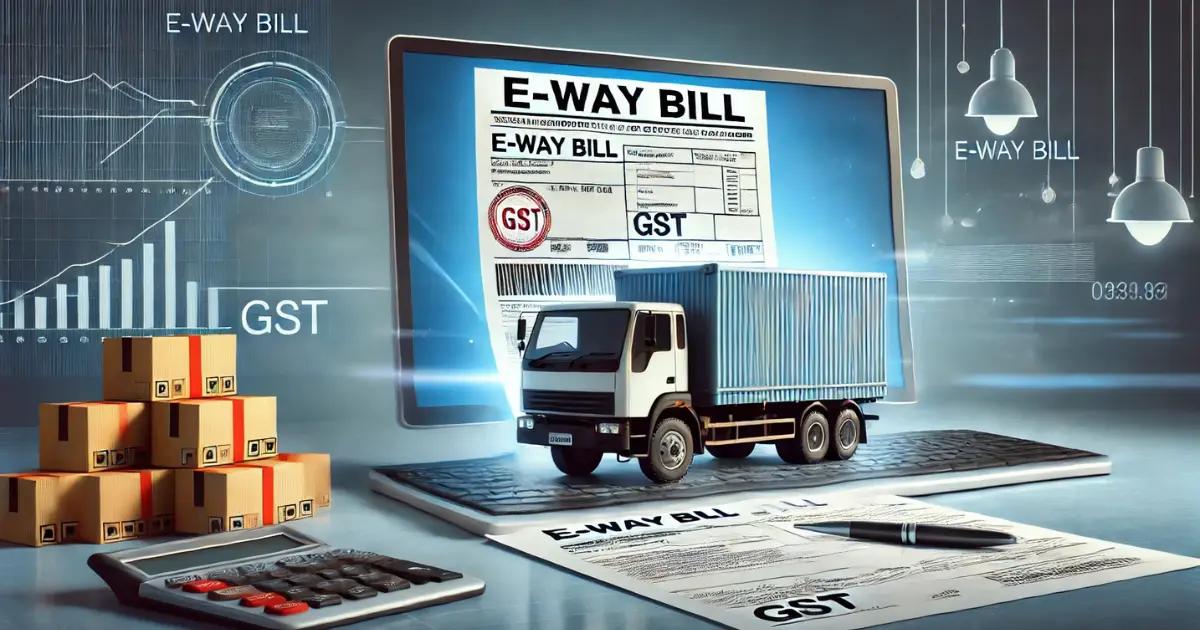
If you’re a business owner, accountant, or logistics manager in India dealing with the transportation of goods, understanding the e-way bill system is absolutely critical for GST compliance. An e-way bill is an electronic document required for moving goods worth more than ₹50,000 within or across state borders, and failing to generate one can result in hefty penalties, seizure of goods, and serious legal complications. This comprehensive guide covers everything you need to know about e-way bill generation, login procedures, validity rules, mandatory compliance requirements, and penalties for non-compliance. Whether you’re shipping products for the first time or managing regular logistics operations, mastering the e-way bill process ensures smooth transportation and helps you avoid costly GST violations.
What is an e-way bill?
An e-way bill (electronic way bill) is a digital document generated on the GST portal that must accompany the movement of goods valued at more than ₹50,000. Introduced under the Goods and Services Tax regime, this system was implemented to track the movement of goods across India and prevent tax evasion. The e-way bill contains details about the goods being transported, the consignor, the consignee, and the transporter.
The e-way bill system was rolled out nationwide on April 1, 2018, and is managed through the official portal ewaybillgst.gov.in. This electronic documentation replaces the previous paper-based system of way bills that varied from state to state, creating a unified national framework for goods movement tracking.
The e-way bill consists of two parts: Part A contains details about the goods, supplier, recipient, and the document (invoice or challan), while Part B includes transporter details such as vehicle number and transporter ID. For certain movements, only Part A needs to be filled, while for others, both parts are mandatory.
This digital system integrates with the GST Network (GSTN) and allows tax authorities to track goods in real-time, verify tax compliance, and conduct checks at interstate borders or during transit. The e-way bill has significantly reduced transit times by eliminating multiple checkpoints and manual verification processes that were common before GST implementation.
Who needs to generate an e-way bill?
The responsibility for e-way bill generation falls on different parties depending on the nature of the transaction. Understanding who must generate an e-way bill is crucial for compliance.
Registered persons under GST must generate an e-way bill when they cause movement of goods exceeding ₹50,000 in value. This applies whether the movement is due to supply (sale), reasons other than supply (like returns, job work, or exhibitions), or inward supply from an unregistered person.
Unregistered persons are also required to generate e-way bills when they cause movement of goods worth more than ₹50,000, except when the goods are being transported by a registered person. In practice, when an unregistered person needs to move goods, they can request the registered transporter to generate the e-way bill on their behalf.
Transporters have a specific obligation to generate Part B of the e-way bill if the consignor or consignee has generated only Part A. Additionally, if neither the consignor nor consignee generates the e-way bill, the transporter must generate the complete e-way bill before transporting goods worth more than ₹50,000.
E-commerce operators registered under GST must generate e-way bills when facilitating the supply of goods through their platform, even if they’re not the actual supplier. This ensures accountability throughout the supply chain and prevents tax evasion in the rapidly growing e-commerce sector.
When Is an E-Way Bill Required?
An e-way bill is mandatory whenever goods valued at more than ₹50,000 are moved from one place to another. This threshold applies to the consignment value, not individual item value. Understanding the specific scenarios requiring e-way bill generation helps businesses maintain compliance.
For interstate movement, an e-way bill is required regardless of the reason for transportation—whether it’s a sale, purchase return, branch transfer, job work, exhibition, or any other purpose. The ₹50,000 threshold applies to the total invoice or delivery challan value.
For intrastate movement (within the same state), the requirement depends on state-specific rules, though most states have adopted the ₹50,000 threshold. Some states initially had different limits, but there’s been a move toward uniformity across India. Businesses must check their specific state regulations for intrastate movements.
E-way bills are required for movement by road, rail, air, or ship. The mode of transport doesn’t exempt you from the requirement—if you’re moving goods worth more than ₹50,000, you need an e-way bill regardless of whether you’re using a truck, train, airplane, or vessel.
The requirement applies to movement for supply purposes (sales transactions), as well as for non-supply reasons such as returning goods, sending items for job work, transferring stock between branches, sending goods for exhibition or demonstration, or moving goods for any other business purpose.
Interestingly, the e-way bill requirement is triggered by the movement of goods, not by the transaction itself. Even if no sale has occurred, if goods are physically moving and exceed the value threshold, an e-way bill is necessary. This catches many businesses off-guard, particularly when transferring inventory between their own locations.
E-Way Bill Login Process: Step-by-Step Guide
Accessing the e-way bill portal requires proper registration and login credentials. The e-way bill login process is straightforward once you understand the steps involved.
Step 1: Registration – Before you can log in, you must first register on the e-way bill portal. Visit ewaybillgst.gov.in and click on “Registration.” If you’re already registered under GST, your GSTIN will be your username. Enter your GSTIN and the system will fetch your details from the GST portal automatically.
Step 2: OTP Verification – During e-way bill registration, you’ll receive an OTP (One-Time Password) on the mobile number registered with your GSTIN. Enter this OTP to verify your identity. This security measure ensures that only authorized persons can access the e-way bill system.
Step 3: Create Username and Password – After OTP verification, create a username (which is typically your GSTIN) and set a strong password. You’ll also need to provide a valid email address and mobile number for future communications and password recovery.
Step 4: Login to the Portal – Once registered, go to the e-way bill portal homepage and click “Login.” Enter your username (GSTIN) and password. You may be asked to complete a CAPTCHA verification for security purposes.
Step 5: Two-Factor Authentication – For enhanced security, the portal may send an e-way bill login OTP to your registered mobile number. Enter this OTP to complete the login process. This two-factor authentication prevents unauthorized access to your account.
For e-way bill login in mobile, the process is identical, though the portal is mobile-responsive. You can access the same portal through your smartphone’s browser. Additionally, there are mobile applications available for both Android and iOS that streamline the e-way bill generation process on mobile devices.
If you encounter e-way bill login problems, first ensure you’re using the correct GSTIN and password. If you’ve forgotten your e-way bill login password, click on “Forgot Password” on the login page, and follow the password reset process using your registered email or mobile number. The system will send a password reset link or OTP to help you regain access.
How to Generate an E-Way Bill (Complete Guide)
The process to generate e-way bill online is systematic and can be completed in minutes once you’re familiar with the steps. Here’s a comprehensive walkthrough of e-way bill generation.
Method 1: Generating E-Way Bill Directly on the Portal
After logging into the e-way bill portal, click on “Generate New” under the “E-Waybill” menu. You’ll be presented with a form that requires specific information:
Transaction Details: Select the transaction type (Outward, Inward, or Others). For outward supply, you’re sending goods; for inward supply, you’re receiving goods; “Others” covers movements like job work or exhibition. Choose the appropriate sub-type based on your specific transaction—whether it’s a regular supply, bill to-ship to arrangement, export, or job work.
Document Details: Enter the document number (invoice or challan number) and date. This should match your actual invoice or delivery challan. The document value should be the total value of goods being transported, including taxes.
From and To Details: Provide the GSTIN (or address if unregistered) of the consignor (sender) and consignee (receiver). Enter the complete address including PIN codes. The system uses these PIN codes to calculate the distance and determine validity period.
Product Details: Select the HSN code for the goods being transported. You can search for the appropriate HSN code using keywords. Enter the product name, description, quantity, unit, and value. For multiple products, you can add additional line items.
Transporter Details (Part B): If you’re transporting the goods yourself or have hired a transporter, you need to generate e-way bill Part B. Enter the transporter ID (if using a registered transporter) or transporter name. Provide the vehicle number in the correct format (state code followed by numbers and letters without spaces). Select the transportation mode (road, rail, air, or ship).
After filling all mandatory fields, click “Submit.” The system will validate the information and generate a unique 12-digit E-Way Bill Number (EBN). You can immediately download or print this e-way bill, which must accompany the goods during transit.
Method 2: Generating Through SMS
For quick generation, registered users can e-way bill generate online free using SMS. Send an SMS to 77382 99899 in the format: EWBG
Method 3: Using Mobile Apps
Several mobile applications facilitate e-way bill generation. The official app and third-party GST compliance apps allow you to generate e-way bills directly from your smartphone, making it convenient for transporters and small business owners who are frequently on the move.
Method 4: Bulk Generation
For businesses that need to generate multiple e-way bills daily, the portal offers a bulk generation facility. You can upload an Excel or JSON file containing details of multiple consignments, and the system will generate e-way bills in bulk. This significantly reduces time and effort for high-volume shippers.
E-Way Bill Validity Period and Distance Rules
Understanding e-way bill validity is crucial because using an expired e-way bill is equivalent to not having one at all, leading to penalties. The validity period is calculated based on the distance the goods will travel.
The standard validity calculation is: 1 day for every 200 kilometers (or part thereof) for normal cargo. For over-dimensional cargo (ODC) or multi-modal shipments, the validity is 1 day for every 20 kilometers. The “day” here means a calendar day starting from the time of generation.
For example, if goods are being transported 350 kilometers, the e-way bill will be valid for 2 days (200 km = 1 day, remaining 150 km = 1 additional day). If goods are traveling 180 kilometers, the validity is still 1 full day. The system automatically calculates validity based on the PIN codes entered during generation.
The validity period starts from the date and time of generation shown on the e-way bill. If an e-way bill is generated at 3:00 PM on January 1st with 2 days validity, it remains valid until 11:59 PM on January 2nd (not until 3:00 PM on January 3rd).
If goods cannot reach their destination within the validity period due to exceptional circumstances (like natural calamity, law and order situation, trans-shipment delay, or accident), the transporter can extend the e-way bill validity. This extension must be done before the original validity expires, and you need to provide a valid reason and updated vehicle details if applicable.
To extend validity, log into the portal, go to “Update Vehicle No./Extend Validity,” enter the e-way bill number, select “Extend Validity,” choose the reason for extension, provide current location details, and submit. The system will grant additional validity based on the remaining distance.
It’s important to note that you cannot extend validity after the e-way bill has already expired. Planning your logistics to account for potential delays and generating e-way bills at the appropriate time is essential for compliance.
E-Way Bill Rules and Regulations You Must Know
Several critical e-way bill rules govern the generation, usage, and compliance requirements. Staying informed about these regulations helps businesses avoid violations.
Value Threshold Rule: The ₹50,000 threshold applies to the value of the consignment as per the invoice or bill of supply. If a single invoice covers goods worth ₹60,000 but they’re being transported in two separate vehicles with ₹30,000 worth in each, you still need an e-way bill for the entire consignment. However, if you issue two separate invoices of ₹30,000 each, e-way bills may not be required (though this practice could be scrutinized for tax evasion).
Consolidated E-Way Bill Rule: When a transporter is carrying multiple consignments in one vehicle (belonging to different consignors or consignees), they must generate a Consolidated E-Way Bill by entering all individual e-way bill numbers. This consolidated bill helps during inspections, as authorities can verify all consignments at once. More details about this process can be found in the official documentation at docs.ewaybillgst.gov.in.
Vehicle Update Rule: If goods are transferred from one vehicle to another during transit (trans-shipment), the transporter must update the vehicle number in the e-way bill before the goods are loaded onto the new vehicle. This can be done through the portal or via SMS, and it’s critical for maintaining the validity and legality of the e-way bill.
Physical Verification Rule: The person in charge of the vehicle must carry either a physical copy of the e-way bill or the e-way bill number, which can be shown digitally on a mobile device. Tax authorities can stop vehicles and verify e-way bills at any point during transit. Failure to produce a valid e-way bill can result in detention of goods and penalties.
Inter-State vs. Intra-State Rules: While the central government mandates e-way bills for interstate movement, individual states have the authority to implement e-way bill requirements for intrastate movements. Most states have adopted the same ₹50,000 threshold, but businesses must verify specific state rules, especially for high-value intrastate movements.
Job Work Rule: When goods are sent for job work, an e-way bill is required if the value exceeds ₹50,000. The principal manufacturer must generate the e-way bill, and the job worker must generate a new e-way bill when returning the processed goods, provided the value still exceeds the threshold.
E-Commerce Rule: E-commerce operators must ensure e-way bills are generated for all goods sold through their platform that exceed the value threshold. This applies even when the actual seller is a third-party vendor. The responsibility can lie with the seller, the e-commerce operator, or the logistics partner, depending on the arrangement.
For comprehensive details on all e-way bill GST rules and compliance requirements, refer to the official resources at cleartax.in.
Documents Required for E-Way Bill Generation
To successfully generate an e-way bill, you need to have certain documents and information readily available. Being prepared with these details streamlines the generation process.
Invoice or Delivery Challan: The primary document is the tax invoice (for taxable supplies) or bill of supply (for exempt or composition dealers). For non-supply movements like stock transfers or job work, a delivery challan is required. This document should contain the invoice/challan number, date, value of goods, HSN codes, and tax details.
GSTIN Details: You need the GSTIN of both the consignor (supplier) and consignee (recipient). If either party is unregistered, you’ll need their complete address with PIN code. Having the GSTIN readily available speeds up the generation process as the system auto-populates business details.
Transporter Details: If using a registered transporter, you need their Transporter ID (which is their GSTIN). If using an unregistered transporter or transporting goods yourself, you need the vehicle registration number. For rail, air, or ship transport, you need the relevant transport document number (like railway receipt number, airway bill number, or bill of lading number).
HSN/SAC Codes: You must know the correct HSN (Harmonized System of Nomenclature) code for the goods being transported. The level of HSN code detail required depends on your turnover—businesses with turnover above ₹5 crore must use at least 6-digit HSN codes, while smaller businesses can use 4-digit codes.
Product Details: Detailed description of goods, quantity, unit of measurement (pieces, kilograms, liters, etc.), and the taxable value. For multiple products in one consignment, you need this information for each line item.
Distance and Route Information: While the system calculates distance automatically based on PIN codes, knowing the approximate distance and route helps in planning validity periods and identifying potential delays.
Having digital copies of these documents accessible on your computer or mobile device makes the e-way bill online generation process much faster, especially when you need to generate multiple bills daily.
E-Way Bill Penalties and Consequences for Non-Compliance
Understanding e-way bill penalties is critical because non-compliance can result in severe financial and legal consequences. The GST law prescribes strict penalties for violations related to e-way bills.
Primary Penalty Under Section 122: If goods are transported without a valid e-way bill or with a fraudulent e-way bill, the penalty is ₹10,000 or the amount of tax evaded, whichever is higher. This penalty applies per violation, meaning if you’re caught multiple times, each instance attracts a separate penalty.
Detention and Seizure: Tax authorities have the power to detain vehicles and seize goods if a valid e-way bill is not produced during inspection. The goods will be released only after payment of applicable tax and penalty. During the detention period, your business operations suffer, and you may incur additional costs for vehicle detention and storage.
Tax Liability: If goods are being transported without an e-way bill and the tax authorities determine that tax has not been paid, you’ll be liable to pay the full tax amount along with interest and penalty. This can significantly increase the financial burden, especially for high-value consignments.
Penalty for Wrong Information: Providing incorrect information in the e-way bill (like wrong HSN code, undervalued goods, incorrect consignee details, or false vehicle number) can attract penalties under Section 122 for suppression of facts or providing false information. The penalty can be up to ₹25,000 in such cases.
Penalty for Expired E-Way Bill: Using an expired e-way bill is treated the same as not having an e-way bill at all. If goods are in transit with an expired e-way bill and are intercepted, the same penalties apply—₹10,000 or tax amount, whichever is higher, plus potential detention and seizure.
Repeated Violations: Businesses with a history of repeated e-way bill violations may face enhanced scrutiny, more frequent inspections, and potentially higher penalties. Tax authorities maintain records of compliance history, and repeat offenders may be flagged for detailed audits.
Impact on Input Tax Credit: If your supplier fails to generate an e-way bill for goods supplied to you, and this is discovered during an audit, you may face difficulties in claiming input tax credit on those purchases. This creates an indirect financial impact even when you’re not directly responsible for the violation.
For detailed information about penalties and legal provisions, you can refer to resources at cleartax.in, refrens.com, and irisgst.com.
The best approach is to maintain strict compliance, ensure all staff involved in logistics understand e-way bill requirements, implement systems to track e-way bill generation and validity, and conduct regular internal audits to identify and rectify compliance gaps before they result in penalties.
How to Cancel or Modify an E-Way Bill
Mistakes happen, and the e-way bill system provides options to cancel or modify e-way bills under specific conditions. Understanding these processes helps you correct errors without facing penalties.
Cancellation Process: An e-way bill can be cancelled within 24 hours of generation, provided the goods have not been handed over to the transporter and movement has not commenced. To cancel, log into the e-way bill portal, go to “Cancel E-Way Bill” under the “E-Waybill” menu, enter the e-way bill number, select the reason for cancellation (like duplicate generation, order cancelled, data entry mistake, or others), and submit.
Once cancelled, the e-way bill number becomes invalid and cannot be used for transportation. If you’ve already printed the e-way bill and handed it to the transporter, you cannot cancel it through the portal. In such cases, you may need to generate a new e-way bill with correct information.
Who Can Cancel: Only the person who generated the e-way bill (the generator) can cancel it. If a transporter generated Part B, they can cancel only their portion within the 24-hour window. The consignor or consignee who generated Part A can cancel the entire e-way bill if Part B hasn’t been added yet.
Modification/Update Process: While you cannot directly “edit” an e-way bill after generation, you can update certain details. The most common update is changing the vehicle number when goods are transferred to a different vehicle during transit. This is crucial for maintaining compliance during trans-shipment.
To update vehicle details, go to “Update Vehicle No./Extend Validity” on the portal, enter the e-way bill number, select “Update Vehicle No.,” provide the new vehicle number, reason for change, and the place where the change is happening. The system allows unlimited vehicle updates as long as the e-way bill is valid.
Rejection by Recipient: The consignee (recipient) has the option to reject an e-way bill if they believe it’s incorrect or if they’re not expecting the consignment. This rejection must be done within 72 hours of e-way bill generation. Once rejected, the e-way bill becomes invalid, and the consignor must address the issue—either by cancelling the e-way bill (if within 24 hours) or by resolving the dispute with the consignee.
Common Scenarios Requiring Cancellation: Duplicate e-way bill generation for the same consignment, order cancellation after e-way bill generation, incorrect consignee details, wrong HSN code or product description, incorrect value or quantity, or accidental generation. In all these cases, if caught within 24 hours and before goods movement, cancellation is the appropriate action.
What to Do After 24 Hours: If you discover an error after 24 hours or after goods have started moving, you cannot cancel the e-way bill. In such cases, you should maintain proper documentation explaining the discrepancy, ensure the goods reach the intended destination, and be prepared to explain the situation if questioned by tax authorities. For significant errors, consulting a GST professional is advisable.
E-Way Bill Exemptions: When You Don't Need One
Not all goods movements require an e-way bill. Understanding these exemptions helps you avoid unnecessary compliance burden while ensuring you don’t miss mandatory requirements.
Value-Based Exemption: The primary exemption is for consignments valued at ₹50,000 or less. If your invoice or delivery challan value is below this threshold, you don’t need to generate an e-way bill, regardless of the distance or mode of transport.
Goods Exempted from E-Way Bill: Certain categories of goods are specifically exempted from e-way bill requirements, even if their value exceeds ₹50,000. These include: live animals and birds, fresh milk and fresh products (like curd, lassi), fresh vegetables and fruits, foodgrains, salt, earthen pots and earthenware, human hair, natural flowers and plants, printed books and newspapers, passenger baggage, used personal and household effects, coral and unworked precious stones, and goods transported by non-motorized conveyance.
Distance-Based Exemptions: Some states have implemented distance-based exemptions for intrastate movements. For example, if goods are being transported within a distance of 10 kilometers from the consignor to the transporter for further transportation, or within 10 kilometers from the transporter to the consignee, some states don’t require e-way bills. However, this varies by state, so verification is necessary.
Specific Transaction Exemptions: E-way bills are not required for goods being transported from the port, airport, air cargo complex, or land customs station to an inland container depot or container freight station for customs clearance. Similarly, movements under customs bond from an inland container depot to a customs port for export don’t require e-way bills.
Empty Cargo Containers: Transportation of empty cargo containers (without goods) doesn’t require an e-way bill. However, if the containers themselves are being sold or transferred, and their value exceeds ₹50,000, an e-way bill would be required.
Exemptions for Specific Persons: Certain categories of persons are exempted from e-way bill requirements in specific scenarios. For instance, when goods are transported by a person who has obtained a consignment note (like a courier agency operating under specific exemptions), e-way bills may not be required for individual parcels below the threshold.
Transport by Defense or Paramilitary: Goods transported by defense or paramilitary forces for their official use are generally exempted from e-way bill requirements, though proper documentation from the relevant authorities should be maintained.
Job Work Exemptions: In some cases, when goods are sent for job work and the principal and job worker are located in the same state and within close proximity, state governments may provide exemptions. However, this is state-specific and should be verified.
It’s important to note that exemptions can change, and state-specific rules may differ from central guidelines. Always verify current exemptions applicable to your specific situation. For the most current list of exemptions and detailed FAQ, refer to docs.ewaybillgst.gov.in.
Common E-Way Bill Errors and How to Fix Them
Users frequently encounter errors during e-way bill generation and usage. Knowing how to troubleshoot these issues saves time and prevents compliance problems.
Error: “Invalid GSTIN” – This occurs when you enter an incorrect GSTIN or when the GSTIN is not active in the GST system. Solution: Verify the GSTIN by checking it on the GST portal. Ensure there are no typos, and confirm that the GSTIN is active and not cancelled or suspended. If you’re entering a consignee’s GSTIN, ask them to verify their registration status.
Error: “Distance cannot be calculated” – This happens when the system cannot determine the distance between the source and destination PIN codes. Solution: Verify that both PIN codes are entered correctly. If the error persists, manually enter the approximate distance in kilometers. The system will then calculate validity based on your input.
Error: “Vehicle number already in use” – This error appears when the vehicle number you’re trying to use is already associated with another active e-way bill. Solution: Check if you’ve already generated an e-way bill for this vehicle. If the previous e-way bill’s goods have been delivered, update that e-way bill to mark completion. If you’re using a consolidated e-way bill, ensure you’re adding the new e-way bill to the existing consolidated bill rather than creating a new one.
Error: “Document number already exists” – This occurs when you try to generate an e-way bill with an invoice number that’s already been used for another e-way bill. Solution: Verify your invoice number. If you’re genuinely using a new invoice, the previous e-way bill with the same number might have been generated by mistake and should be cancelled (if within 24 hours). If it’s a legitimate duplicate (like partial shipments of the same invoice), you may need to use suffix notations (Invoice123-Part1, Invoice123-Part2) or consult with a GST professional.
Error: “HSN code not found” – This happens when the HSN code you enter doesn’t exist in the system’s database. Solution: Verify the HSN code from the official HSN classification. Ensure you’re using the correct number of digits (4, 6, or 8 digits depending on your turnover). Use the search function in the e-way bill portal to find the correct HSN code by entering product keywords.
Error: “E-way bill cannot be generated as the distance is less than 10 km” – Some states have implemented minimum distance rules for intrastate e-way bills. Solution: Check your state-specific rules. If the movement is genuinely less than 10 km and your state has this exemption, you may not need an e-way bill. However, maintain proper documentation to explain the short-distance movement if questioned.
Login Issues: If you’re facing e-way bill login problems, first clear your browser cache and cookies, or try a different browser. Ensure your internet connection is stable. If you’ve forgotten your password, use the “Forgot Password” option. If OTP is not being received, verify that your mobile number registered with GSTIN is correct and active.
Error: “Validity expired” – This appears when you try to update or modify an e-way bill that has already expired. Solution: You cannot extend or modify an expired e-way bill. If goods are still in transit, you may need to generate a new e-way bill or contact tax authorities to explain the situation. To avoid this, always monitor e-way bill validity and extend before expiration if delays are anticipated.
Error: “Part B already generated” – This occurs when you try to add Part B to an e-way bill that already has transporter details. Solution: If you need to change transporter details, use the “Update Vehicle Number” option instead of trying to regenerate Part B. Each e-way bill can have only one active Part B at a time.
Printing Issues: If you’re unable to e-way bill download or print, check your browser’s pop-up settings and ensure pop-ups are allowed for the e-way bill portal. Try using the “Print” option directly from the portal rather than downloading first. Ensure you have a PDF reader installed on your device.
Mobile App Issues: For e-way bill login in mobile problems, ensure you’re using the latest version of the app or accessing the mobile-responsive website. Clear app cache if using an application. Verify that your device’s date and time settings are correct, as this can sometimes interfere with OTP generation and validation.
Types of E-Way Bills and Special Scenarios
The e-way bill system accommodates different types of transactions and special scenarios. Understanding these variations helps you generate the correct type of e-way bill for your specific situation.
Regular E-Way Bill: This is the standard e-way bill generated for normal supply transactions where goods are being sold and transported from supplier to buyer. Both Part A and Part B are completed, and the bill accompanies the goods throughout the journey.
Bill-to-Ship-to E-Way Bill: In scenarios where the billing address and shipping address are different (common in B2B transactions), the e-way bill system allows you to specify separate “Bill To” and “Ship To” parties. This is particularly relevant for businesses that have centralized billing but multiple delivery locations.
Consolidated E-Way Bill: When a single vehicle carries multiple consignments (each with its own e-way bill), the transporter generates a consolidated e-way bill by combining all individual e-way bill numbers. This is mandatory for transporters and makes verification easier during transit checks. The consolidated e-way bill is generated by entering all relevant e-way bill numbers and assigning them to a single vehicle.
Multi-Vehicle E-Way Bill: For over-dimensional cargo or goods that require multiple vehicles for a single consignment, you can generate a multi-vehicle e-way bill. This is common in industries like machinery, construction equipment, or large industrial goods. The main e-way bill is generated first, and then additional vehicle details are added for each vehicle carrying parts of the same consignment.
E-Way Bill for Job Work: When goods are sent for job work (processing, manufacturing, or other operations), a specific type of e-way bill is generated with the transaction type marked as “Job Work.” The challan details are entered instead of invoice details, and the movement is tracked as a non-supply transaction. When the job worker returns the processed goods, another e-way bill is generated for the return journey.
E-Way Bill for Exports: For goods being exported, an e-way bill is required from the place of business to the port or customs station. The transaction type is marked as “Export,” and the shipping bill or bill of export number is entered. Once goods reach the customs area, the e-way bill requirement ends, and customs documentation takes over.
E-Way Bill for Imports: For imported goods cleared from customs, an e-way bill is required for transportation from the port or customs station to the importer’s location. The bill of entry number is used as the document reference, and the transaction type is marked accordingly.
E-Way Bill for Stock Transfer: When a business transfers goods between its own locations (branches, warehouses, or factories), an e-way bill is required even though no sale is occurring. The transaction type is marked as “Stock Transfer,” and a delivery challan is used instead of an invoice. Both locations should have the same GSTIN or be linked under the same PAN.
E-Way Bill for Exhibition or Demonstration: Goods sent for exhibitions, trade fairs, or demonstrations require e-way bills. The transaction type is marked as “Exhibition or Fairs,” and a delivery challan is used. When goods return after the event, another e-way bill is required for the return journey.
E-Way Bill for Sales Return: When a buyer returns goods to the supplier, an e-way bill is required if the value exceeds ₹50,000. The transaction type is marked as “Sales Return,” and a credit note or return challan is referenced. The consignor and consignee roles are reversed compared to the original supply.
Understanding which type of e-way bill applies to your transaction ensures you provide correct information and maintain proper compliance. For complex scenarios or industry-specific requirements, consulting with a GST professional or referring to official guidelines is recommended.
E-Way Bill for Different Business Types
Different types of businesses have specific considerations when dealing with e-way bills. Understanding how the system applies to your business model helps ensure compliance.
Manufacturers: Manufacturing businesses frequently generate e-way bills for raw material procurement, finished goods dispatch, job work movements, and inter-factory transfers. They should implement systems to automatically generate e-way bills when dispatching goods, maintain a register of all e-way bills generated, and ensure warehouse staff are trained on e-way bill requirements before releasing goods.
Traders and Distributors: Trading businesses have high volumes of goods movement and need efficient e-way bill generation processes. Using bulk generation tools, integrating e-way bill generation with their ERP or accounting software, and maintaining a dedicated team for logistics compliance helps streamline operations.
E-Commerce Sellers: E-commerce businesses face unique challenges due to multiple small shipments. While individual shipments below ₹50,000 don’t require e-way bills, consolidated shipments often exceed this threshold. E-commerce sellers should coordinate with logistics partners to ensure e-way bills are generated for consolidated shipments, implement automated systems that trigger e-way bill generation based on order value, and maintain clear documentation of who is responsible for e-way bill generation in their logistics chain.
Transporters and Logistics Companies: Transport businesses often generate e-way bills on behalf of their clients. They should obtain proper authorization from clients to generate e-way bills, maintain accurate records of all e-way bills generated, implement systems to track e-way bill validity and alert drivers before expiration, and ensure drivers carry digital or physical copies of all relevant e-way bills.
Service Providers: While e-way bills primarily apply to goods, service providers who supply goods as part of their service (like IT companies supplying hardware, or contractors supplying materials) must generate e-way bills when the goods component exceeds ₹50,000. They should clearly segregate goods and services in their invoices and generate e-way bills only for the goods portion.
Small Businesses and Composition Dealers: Small businesses under the composition scheme must also comply with e-way bill requirements when transporting goods worth more than ₹50,000. They should familiarize themselves with the simplified e-way bill generation process, consider using mobile apps for quick generation, and maintain proper delivery challans since they cannot issue tax invoices.
Financial Institutions: Banks, NBFCs, and other financial institutions that repossess goods or transfer assets may need to generate e-way bills when moving these goods. They should establish clear protocols for e-way bill generation during asset recovery or transfer, ensure staff handling repossessions understand e-way bill requirements, and maintain documentation linking e-way bills to specific loan accounts or transactions.
Agricultural Businesses: Businesses dealing in agricultural produce should be aware that many fresh agricultural products are exempted from e-way bill requirements. However, processed agricultural products, packaged goods, or agricultural machinery and inputs typically require e-way bills. Understanding which products fall under exemptions helps avoid unnecessary compliance burden.
Best Practices for E-Way Bill Management
Implementing systematic processes for e-way bill management helps businesses maintain compliance, avoid penalties, and streamline logistics operations.
Integrate with Existing Systems: Connect your accounting or ERP software with the e-way bill portal through APIs. This automation reduces manual data entry, minimizes errors, and ensures e-way bills are generated automatically when invoices are created. Many accounting software providers offer built-in e-way bill generation features.
Maintain a Centralized Register: Keep a comprehensive register of all e-way bills generated, including e-way bill number, date, consignment details, vehicle number, validity period, and status (active, expired, cancelled, or completed). This register helps during audits and provides visibility into your logistics operations.
Set Up Validity Alerts: Implement a system that alerts you when e-way bills are approaching expiration. This can be as simple as a spreadsheet with conditional formatting or as sophisticated as automated SMS/email alerts from your ERP system. Proactive monitoring prevents the costly mistake of transporting goods with expired e-way bills.
Train Your Team: Ensure everyone involved in the supply chain—from sales teams creating invoices to warehouse staff dispatching goods to drivers transporting them—understands e-way bill requirements. Regular training sessions and clear standard operating procedures reduce compliance risks.
Designate Responsibility: Clearly assign responsibility for e-way bill generation. Whether it’s the accounts team, logistics team, or a dedicated compliance officer, having clear ownership ensures the task doesn’t fall through the cracks during busy periods.
Maintain Supporting Documentation: Always keep copies of invoices, delivery challans, transport documents, and e-way bills together. This complete documentation set is essential during tax audits or if goods are inspected during transit.
Regular Reconciliation: Periodically reconcile your e-way bill register with your sales register, purchase register, and GST returns. This helps identify any missing e-way bills or discrepancies that need to be addressed.
Use Technology: Leverage mobile apps for field staff and drivers. Having the ability to generate, update, or check e-way bills from anywhere improves operational flexibility and ensures compliance even when staff are away from the office.
Plan for Contingencies: Have backup plans for situations like internet outages, portal downtime, or system failures. Know how to generate e-way bills via SMS, have offline forms ready, and maintain contact information for technical support.
Stay Updated: GST rules and e-way bill regulations evolve. Subscribe to updates from the GST portal, follow reliable GST news sources, and consider engaging a GST consultant for complex situations. Regular review of your compliance processes ensures they align with current regulations.
Conduct Internal Audits: Periodically audit your e-way bill processes to identify gaps, errors, or areas for improvement. Check for patterns in errors, assess whether staff are following procedures, and verify that all high-value consignments have corresponding e-way bills.
Document Special Cases: When you encounter unusual situations (like exemptions, special cargo, or unique transaction types), document how you handled them and the rationale behind your decisions. This documentation proves valuable if questioned by tax authorities.
Future of E-Way Bill System
The e-way bill system continues to evolve with technological advancements and policy changes. Understanding the direction of these developments helps businesses prepare for future requirements.
Integration with FASTag and GPS: There are ongoing discussions about integrating the e-way bill system with FASTag and GPS-based vehicle tracking. This would enable real-time tracking of goods movement, automatic verification at toll plazas, and reduced need for physical inspections. Businesses should prepare for increased digitization and automated compliance verification.
Artificial Intelligence and Analytics: Tax authorities are increasingly using AI and data analytics to identify patterns of non-compliance, detect fraudulent e-way bills, and predict high-risk consignments. This means businesses with irregular patterns or frequent errors may face enhanced scrutiny. Maintaining consistent, accurate compliance becomes even more important.
Simplified Processes: Based on user feedback, the government continues to simplify e-way bill processes. Recent updates have included easier bulk generation, improved mobile interfaces, and streamlined vehicle update procedures. Staying informed about these improvements helps businesses leverage new features for operational efficiency.
State-Level Harmonization: There’s a gradual move toward complete harmonization of e-way bill rules across all states. This will eventually eliminate the confusion around different intrastate requirements and create a truly unified national system.
Enhanced Security Features: To prevent fraud and misuse, the system is being enhanced with better security features, including biometric authentication, digital signatures, and blockchain-based verification. Businesses should be prepared to adopt these security measures as they’re rolled out.
Integration with Other Compliance Systems: The e-way bill system is being integrated with other GST compliance requirements, including e-invoicing. For businesses above certain turnover thresholds, e-invoicing automatically generates e-way bill data, reducing duplication and ensuring consistency across compliance documents.
By understanding these trends and preparing for technological advancement, businesses can stay ahead of compliance requirements and leverage the e-way bill system as a tool for operational efficiency rather than viewing it merely as a regulatory burden.
Conclusion
The e-way bill system is a fundamental component of GST compliance in India, affecting every business involved in the movement of goods. From understanding what an e-way bill is and when it’s required, to mastering the e-way bill login and generation process, businesses must develop comprehensive knowledge and systematic processes to ensure compliance.
Key takeaways include: always generate e-way bills for consignments exceeding ₹50,000, understand the validity rules based on distance, keep track of exemptions that apply to your business, implement systems to prevent expired e-way bills, train your team thoroughly on compliance requirements, and stay updated on evolving regulations and technological improvements.
The penalties for non-compliance are severe—ranging from ₹10,000 to the full tax amount, plus potential seizure of goods and business disruption. However, with proper understanding, systematic processes, and the right tools, e-way bill compliance becomes a manageable part of your business operations rather than a constant source of anxiety.
Whether you’re a small trader making occasional shipments or a large manufacturer with complex logistics operations, investing time in understanding e-way bill rules and implementing robust compliance processes protects your business from penalties, ensures smooth goods movement, and demonstrates your commitment to transparent business practices. The e-way bill system, when properly managed, not only ensures GST compliance but also provides valuable data for optimizing your supply chain and improving operational efficiency.
Frequently Asked Questions
What is an e-way bill?
An e-way bill is an electronic document required under GST for the movement of goods worth more than ₹50,000 within or across state borders in India. It contains details about the goods being transported, including the consignor, consignee, transporter, and vehicle information. This digital waybill must be generated on the official e-way bill portal before the goods commence their journey, serving as proof that the goods are being moved in compliance with GST regulations.
How do I generate an e-way bill step by step?
To generate an e-way bill, first log in to the official portal at ewaybillgst.gov.in using your GSTIN credentials. Navigate to the “Generate New” option under the e-waybill section, then fill in details including invoice number, product description, HSN code, value of goods, transport mode, and vehicle number. After verifying all information, submit the form to receive a unique 12-digit e-way bill number (EBN) that must accompany the goods during transit.
Who needs to generate an e-way bill?
Any registered GST taxpayer, transporter, or e-commerce operator moving goods worth more than ₹50,000 must generate an e-way bill before transportation begins. This applies to both inter-state and intra-state movement of goods, though some states may have different threshold limits for intra-state movement. Even unregistered persons can generate an e-way bill by enrolling on the portal as an unregistered user.
What is the validity period of an e-way bill?
The validity of an e-way bill depends on the distance the goods need to travel. For distances up to 200 km, the e-way bill is valid for one day from the time of generation. For every additional 200 km or part thereof, one additional day is added to the validity period. For example, if goods are being transported 450 km, the e-way bill will be valid for three days.
How do I login to the e-way bill portal?
Visit the official website ewaybillgst.gov.in and click on the “Login” button on the homepage. Enter your GSTIN (Goods and Services Tax Identification Number) as the username and your registered password. After entering the captcha code, click “Login” to access your dashboard where you can generate, track, and manage your e-way bills.
What are the penalties for not generating an e-way bill?
Transporting goods without a valid e-way bill can result in a penalty of ₹10,000 or the tax amount evaded, whichever is higher. Additionally, the goods and vehicle can be detained or seized by tax authorities until the penalty is paid. Repeated violations can lead to more severe consequences including prosecution under GST law, making it essential to always generate an e-way bill for eligible consignments.
Can I generate an e-way bill from my mobile phone?
Yes, you can generate an e-way bill from your mobile phone by accessing the mobile-friendly version of the e-way bill portal through your browser or by downloading the official e-way bill mobile app. The mobile interface provides all the same functionalities as the desktop version, allowing you to generate, update, cancel, and track e-way bills on the go. This is particularly useful for transporters and business owners who need to generate bills while traveling.
Is GST registration mandatory to generate an e-way bill?
GST registration is not always mandatory to generate an e-way bill. While registered GST taxpayers can log in directly using their GSTIN, unregistered persons and casual taxpayers can also generate e-way bills by enrolling on the portal as unregistered users. However, having GST registration makes the process more streamlined and provides access to additional features on the e-way bill portal.
What happens if my e-way bill expires during transit?
If your e-way bill expires while goods are still in transit, you must generate a new e-way bill or extend the validity of the existing one before it expires. You can extend the validity by updating the e-way bill with a valid reason such as natural calamity, law and order issues, trans-shipment delay, or accidental issues. Continuing transportation with an expired e-way bill is treated the same as not having an e-way bill and can result in penalties and seizure of goods.
What is the minimum value limit for generating an e-way bill?
The minimum value limit for generating an e-way bill is ₹50,000 for most goods being transported inter-state or intra-state. This threshold applies to the consignment value, not individual item values. However, certain goods like jewelry, precious stones, and specified handicraft items may require an e-way bill regardless of value, and some exempted categories don’t require an e-way bill even if they exceed ₹50,000.
You May Also Like
E-commerce 3D Transformation: Step-by-Step Guide to Asset Generation

How to Save Money on Groceries: 30 Proven Ways to Cut Your Bill (2026)
How to Improve Your Credit Score Fast: 12 Proven Steps (2026)