How to Reset Solar Lights: Complete Step-by-Step Guide 2026

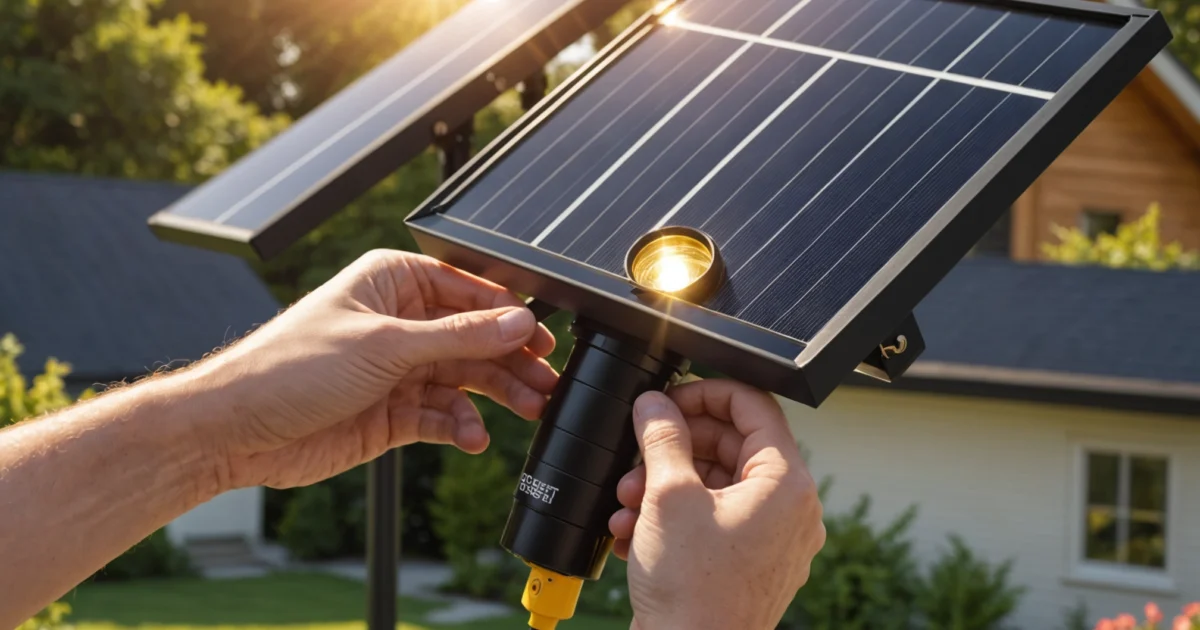
How to reset solar lights involves a simple process of switching them off for 24-48 hours to fully discharge, then allowing proper recharging to restore functionality. Most solar lights require resetting after new installation, battery replacement, or when they stop working properly due to sensor malfunctions or charging issues.
Solar lights commonly need resetting when they won’t turn on at night, stay illuminated during the day, or produce dim lighting. Additionally, resetting helps restore proper operation after seasonal storage or when the internal circuitry becomes confused due to power fluctuations.
The reset process varies depending on your solar light type and whether you have remote control access. However, most standard solar lights can be reset using basic manual methods that don’t require special tools or technical expertise. Understanding when and how to charge solar lights with on/off switches properly ensures optimal performance after resetting.
TL;DR
- Basic reset method: Turn off solar lights for 24-48 hours to completely discharge, then allow 2-3 days of charging
- Manual reset: Use on/off switch in proper sequence or disconnect battery temporarily for thorough reset
- Remote reset: Access reset functions through remote control menus for smart solar lighting systems
- Troubleshooting first: Clean solar panels, check batteries, and inspect connections before attempting reset
Understanding Solar Light Reset: When and Why It's Needed
A solar light reset involves completely discharging the internal battery system and allowing the light to reestablish its charging cycle. This process restores proper functionality by clearing any stored electrical charge that may interfere with normal operation. Essentially, resetting forces your solar lights to “forget” their previous state and restart with fresh programming.
The reset procedure works by breaking the electrical circuit completely, which allows the internal microprocessor to clear its memory. When power returns, the light’s control system initializes with default settings. This restoration process proves particularly effective for addressing sensor malfunctions and timing issues that develop over time.
Common Scenarios Requiring Solar Light Reset
Several specific situations typically require a complete reset of your solar lighting system. New installation represents the most common scenario, as fresh solar lights often need calibration to establish proper day-night cycles. During initial setup, the lights may not immediately recognize ambient light levels in their new environment.
Seasonal startup after winter storage frequently necessitates resetting solar lights. Extended periods of inactivity can cause the internal battery to develop memory issues or lose calibration. Similarly, battery replacement disrupts the electrical system enough to require a full reset for optimal performance.
- After prolonged storage during winter months
- Following battery replacement or upgrade
- When relocating lights to different outdoor areas
- After cleaning or maintenance procedures
- Following power surges or electrical storms
Additionally, solar lights that experience runtime issues often benefit from resetting. Environmental factors like extreme temperatures or moisture exposure can disrupt normal operation patterns.
Signs Your Solar Lights Need Resetting
Multiple warning signs indicate when your solar lights require a reset procedure. Lights failing to turn on at dusk represents the most obvious symptom of reset needs. This malfunction typically occurs when the photosensor becomes confused about day-night cycles or loses its calibration settings.
Conversely, lights staying illuminated during daylight hours signals another common reset requirement. This behavior suggests the internal timer or light sensor has malfunctioned. The solar light essentially “thinks” it’s nighttime continuously, draining the battery unnecessarily.
Critical Reset Indicators
Significantly dimmed lighting output often indicates reset needs, especially when the solar panel appears clean and functional. This dimming occurs when the charging circuit fails to properly regulate power distribution. Furthermore, erratic on-off cycling throughout the night suggests timing mechanism problems.
Reset vs. Other Troubleshooting Methods
Understanding the distinction between resetting and other repair approaches helps determine the most effective solution. Basic cleaning addresses physical obstructions like dirt or debris on solar panels, while resetting tackles internal electronic malfunctions. Cleaning restores charging efficiency, whereas resetting restores proper operational programming.
Battery replacement solves power storage issues but doesn’t address sensor or timing problems. In contrast, resetting specifically targets the electronic control systems that manage when lights activate. Many homeowners attempt cleaning first, then battery replacement, before recognizing that reset procedures offer the most comprehensive solution.
| Problem Type | Solution Method | Success Rate |
|---|---|---|
| Dirty solar panels | Cleaning with mild soap | 95% |
| Dead battery | Battery replacement | 90% |
| Sensor malfunction | Complete reset | 85% |
| Loose connections | Wire inspection/repair | 80% |
Troubleshooting methods work progressively from simple to complex solutions. However, reset procedures often prove more effective than multiple smaller fixes. This comprehensive approach addresses underlying electronic issues that basic maintenance cannot resolve, making it the preferred method for persistent solar light problems.
Locating the Reset Controls on Your Solar Lights
Successfully resetting solar lights begins with identifying the specific control mechanisms on your particular model. Different manufacturers place reset controls in varying locations, making thorough inspection essential for effective troubleshooting. Understanding where to look saves time and prevents unnecessary disassembly of working components.
Finding the On/Off Switch: Typical Locations on Solar Light Housing
Most solar lights feature on/off switches positioned on the underside of the light housing or near the battery compartment. These switches often appear as small sliding toggles or push buttons marked with “ON/OFF” or power symbols. Additionally, some models integrate the switch into the battery compartment door, requiring removal of the cover to access controls.
Pathway lights typically house switches beneath removable caps or along the stake portion. Meanwhile, decorative solar lights frequently position switches on the back panel or bottom surface. Furthermore, charging solar lights with on/off switches requires proper switch positioning to enable both charging and operation modes.
- Bottom housing: Most common location for basic models
- Battery compartment: Often combined with battery access door
- Side panels: Typical for wall-mounted fixtures
- Stake base: Common on pathway and garden lights
- Remote panel: Separate solar panel units with detached controls
Identifying Reset Buttons on Different Solar Light Models
Reset buttons appear as small, recessed switches that require a paperclip or similar tool to activate. These buttons typically measure 2-3mm in diameter and feature either a circular depression or tiny rectangular opening. Moreover, manufacturers often label these controls with “RESET,” “RST,” or a circular arrow symbol.
String light models frequently position reset buttons on the control box or first light unit in the series. Conversely, spotlight fixtures usually integrate reset functions into the main housing near the adjustment knobs. Security lights commonly feature reset buttons adjacent to the motion sensor or on the back panel opposite the detection area.
Reset Button Identification Tip
Understanding Remote Control Reset Functions for Smart Solar Lights
Smart solar lights utilize remote controls that offer multiple reset options beyond basic on/off functions. These remotes typically feature dedicated reset buttons, timing adjustment controls, and brightness level settings. Advanced models include smartphone app integration that provides comprehensive reset capabilities through digital interfaces.
Remote reset procedures vary significantly between manufacturers and model types. Some require holding specific button combinations for 5-10 seconds, while others use sequential button presses to initiate factory resets. Additionally, certain smart lights support both physical remote resets and app-based restoration procedures.
| Remote Type | Reset Method | Indicator Signal |
|---|---|---|
| Basic IR Remote | Hold reset button 5 seconds | LED flashes 3 times |
| RF Remote | Press ON + OFF simultaneously | Beep sound confirmation |
| Smart App Control | Factory reset option in settings | Status notification |
| Multi-function Remote | Hold MODE + RESET buttons | Display shows “RST” |
Manufacturer-Specific Control Layouts and Variations
Each manufacturer develops unique control layouts that reflect their design philosophy and target market. URPOWER models typically feature switches on the bottom housing with clearly marked reset buttons. In contrast, Aootek lights often integrate controls into the solar panel assembly itself.
Litom security lights position reset buttons near the motion sensor for easy access during installation. Meanwhile, Brightech string lights incorporate reset functions into weatherproof control boxes with multiple connection points. These variations require careful examination of product manuals or manufacturer websites for specific guidance.
Budget solar light brands frequently simplify control layouts to reduce manufacturing costs. These models often feature basic on/off switches without dedicated reset buttons, requiring battery removal for complete resets. Conversely, premium manufacturers include multiple reset options, backup power systems, and diagnostic indicators that simplify troubleshooting procedures.
Always consult the manufacturer’s documentation before attempting reset procedures, as incorrect methods can void warranties or damage electronic components.
Step-by-Step Reset Process for Standard Solar Lights
Resetting solar lights requires systematic approaches that restore functionality by clearing electronic memory and allowing components to recalibrate. Different reset methods address specific issues, from simple software glitches to complete system failures. Understanding these procedures helps homeowners troubleshoot problems effectively without requiring professional assistance.
Basic Reset Method: Complete Power Discharge
The complete discharge method represents the most fundamental reset technique for solar lighting systems. This process involves switching the light to the OFF position and leaving it undisturbed for 24-48 hours in a dark location. During this period, the internal battery completely depletes its stored energy, effectively clearing the electronic control system’s memory.
Most solar lights maintain small amounts of residual power even when switched off, which can preserve error states or corrupted settings. Therefore, the extended discharge period ensures all capacitors and memory circuits lose power completely. After the discharge period, the light requires placement in direct sunlight for 6-8 hours to rebuild its charge and reinitialize the control system.
This method proves particularly effective for lights experiencing erratic behavior, unexpected shutoffs, or timing irregularities. However, it requires patience and may not resolve hardware-related issues such as damaged sensors or corroded connections.
Manual Reset Using On/Off Switch Sequence
The manual switch reset provides a faster alternative that works for most standard solar lights equipped with physical switches. This method requires precise timing and specific sequences that vary by manufacturer but follow general principles.
- Turn the switch to OFF position and wait 10 seconds
- Switch to ON position and immediately back to OFF
- Repeat the ON-OFF cycle 3-5 times rapidly
- Leave in OFF position for 30 seconds
- Switch to ON and place in direct sunlight
This rapid cycling technique forces the microcontroller to restart its initialization sequence, clearing temporary errors and resetting internal timers. Some manufacturers require specific timing intervals between switches, so consulting the product manual ensures optimal results.
For lights with multiple operation modes, the switch sequence may need modification. Additionally, charging solar lights with switches requires understanding proper switch positions during different phases of operation.
Battery Disconnection Method for Thorough Reset
The battery disconnection method provides the most comprehensive reset by physically interrupting all power flow to electronic components. This technique proves essential when other reset methods fail to resolve persistent issues or when replacing old batteries.
- Remove the solar light housing or access panel
- Locate the battery compartment and disconnect terminals
- Remove batteries completely from the housing
- Press and hold any buttons for 15-20 seconds to discharge capacitors
- Wait 5 minutes before reinstalling batteries
- Reconnect terminals ensuring proper polarity
- Replace housing and switch to ON position
This method eliminates all stored electrical energy from the system, including backup power in capacitors and memory circuits. Consequently, the light’s control system performs a complete reinitialization when power returns, often resolving complex software conflicts or corrupted settings.
During battery removal, inspect terminals for corrosion or damage that might prevent proper electrical connections. Clean terminals with fine sandpaper or contact cleaner if necessary, as poor connections often cause reset procedures to fail.
Post-Reset Charging Requirements and Initial Setup
After completing any reset procedure, solar lights require specific charging protocols to restore full functionality. The initial charge period typically demands 8-12 hours of direct sunlight exposure, depending on battery capacity and solar panel efficiency.
During the first charging cycle, avoid testing the light’s operation as premature activation can interrupt the calibration process. The control system uses this initial period to establish baseline readings for ambient light levels, battery capacity, and sensor sensitivity. Interrupting this process may result in suboptimal performance or recurring issues.
Important Setup Note
Following the initial charge, test the light’s basic functions including automatic on/off operation, motion detection (if applicable), and brightness levels. If problems persist after proper charging, the issue likely involves hardware components rather than software settings, requiring component replacement or professional diagnosis.
Document the reset method that successfully resolved your specific issue, as similar problems may recur seasonally or after extended periods of inactivity. Furthermore, regular maintenance prevents many issues that require reset procedures, extending the overall lifespan of solar lighting systems.
Resetting Solar Lights with Remote Controls
Modern smart solar lighting systems feature remote control functionality that simplifies reset procedures and troubleshooting. However, remote-controlled units require specific pairing protocols and menu navigation to access reset functions effectively. Understanding these processes ensures successful restoration of lighting performance without professional assistance.
Accessing Reset Functions Through Remote Control Menus
Most remote-controlled solar lights organize reset functions within dedicated system menus accessible through button combinations. Press and hold the “Menu” and “Power” buttons simultaneously for 3-5 seconds to enter the configuration interface. The display typically shows options including “System Reset,” “Factory Default,” and “Network Clear.”
Navigate through menu options using directional arrows on the remote control. Select “System Reset” for basic functionality restoration or “Factory Default” for complete system restoration. Confirm your selection by pressing the center button twice, as most systems require double confirmation to prevent accidental resets.
Advanced systems display reset progress through LED indicators or screen messages. The process typically requires 30-60 seconds to complete, during which the light unit cycles through various operational states. Avoid interrupting this sequence, as incomplete resets may cause persistent connectivity issues.
Pairing and Re-syncing Remote with Solar Light Units
Remote control pairing establishes communication protocols between the controller and solar light units. Begin the pairing process by placing the remote within 10 feet of the target light fixture. Press and hold the “Pair” button on the remote while simultaneously pressing the manual button on the light unit for 5 seconds.
Successful pairing typically produces a confirmation signal through LED flashing patterns or audible beeps. The light unit flashes three times rapidly when pairing completes successfully. If pairing fails, clear existing connections by performing a factory reset on both devices before attempting the process again.
- Step 1: Clear existing pairings through remote menu
- Step 2: Reset light unit to factory defaults
- Step 3: Initiate pairing mode on both devices
- Step 4: Confirm connection through test commands
Multiple light units require individual pairing procedures, though some systems support group pairing for identical models. Consult the manufacturer’s documentation for specific group pairing protocols, as procedures vary significantly between brands and model generations.
Factory Reset Procedures for Smart Solar Lighting Systems
Factory reset procedures restore smart solar lighting systems to original manufacturer settings, clearing all custom configurations and network connections. Access the factory reset function through the remote’s advanced menu system by pressing “Menu,” “Settings,” and “Reset” in sequence.
Smart systems typically require administrator confirmation before executing factory resets. Enter the default administrative code (usually “0000” or “1234”) when prompted, though some manufacturers use unique codes printed on device labels. The system displays a final confirmation screen before proceeding with the reset operation.
Important
During factory reset execution, the system cycles through various operational modes while clearing stored data. This process typically requires 2-3 minutes for completion. The unit returns to initial setup mode, requiring complete reconfiguration of timing schedules, brightness levels, and network connections.
Troubleshooting Remote Control Connectivity Issues
Remote control connectivity problems often stem from signal interference, battery depletion, or frequency conflicts with nearby devices. Test remote functionality by checking battery voltage using a multimeter – readings below 1.2V for AA batteries indicate replacement necessity.
Signal range limitations affect remote performance, particularly in areas with electromagnetic interference from WiFi routers, cell towers, or other wireless devices. Position the remote within the manufacturer’s specified range (typically 50-100 feet) and ensure clear line-of-sight to the light unit when possible.
| Issue | Likely Cause | Solution |
|---|---|---|
| No response to commands | Dead remote battery | Replace batteries and re-pair |
| Intermittent connectivity | Signal interference | Change operating frequency |
| Commands work partially | Firmware mismatch | Update both devices |
| Pairing fails repeatedly | Memory corruption | Factory reset both units |
Firmware updates resolve many connectivity issues in smart solar lighting systems. Check manufacturer websites for firmware updates specific to your model numbers. Update procedures typically involve downloading files to a USB drive and connecting it to the light unit’s service port during a specific boot sequence.
Persistent connectivity problems may indicate hardware failure in either the remote transmitter or light unit receiver. Professional diagnosis becomes necessary when standard troubleshooting procedures fail to restore normal operation. However, many apparent hardware failures actually result from corrupted settings that factory resets can resolve.
Resetting Solar Lights Without Remote Access
When your solar light remote breaks or goes missing, manual reset methods provide reliable alternatives to restore functionality. Most solar lights include physical reset mechanisms designed specifically for situations where remote access becomes unavailable. These manual override techniques work across different solar light types and manufacturers.
Manual Override Methods When Remote is Lost or Broken
Solar lights typically feature hidden reset buttons located on the main housing unit or battery compartment. Press and hold the reset button for 10-15 seconds while the unit is powered on to initiate a complete system reset. This process clears all stored settings and returns the light to factory default configurations.
Additionally, many solar lights respond to power cycling sequences that simulate remote reset commands. Turn the main power switch off, wait 30 seconds, then turn it back on three times in rapid succession. This sequence triggers the internal reset protocol without requiring remote access.
Location Tip
Using Physical Switches and Buttons for Complete Reset
Physical switches on solar lights serve multiple reset functions beyond basic on/off control. The mode switch typically cycles through different operational settings, while a separate test button allows manual activation during daylight hours. Combining these controls creates effective reset sequences.
- Locate the main power switch and turn it to the OFF position
- Remove batteries and wait 60 seconds for capacitors to discharge
- Reinstall batteries with correct polarity alignment
- Press and hold the test button while switching power to ON
- Release the test button after the LED indicator flashes three times
Some solar lights feature multi-function buttons that serve as both power controls and reset mechanisms. Press these buttons in specific sequences to access different reset levels – short presses for soft resets, long presses for hard resets that clear all memory.
Alternative Reset Techniques for Different Solar Light Types
String lights require different reset approaches compared to individual spotlight units. Most solar string lights feature a control box with multiple reset options including manual mode switches and battery disconnect procedures. Disconnect the battery connector, wait 30 seconds, then reconnect while holding the mode button.
Motion sensor lights often include sensitivity adjustment controls that double as reset mechanisms. Turn the sensitivity dial to minimum, wait 10 seconds, then rotate it to maximum while covering the motion sensor with your hand. This sequence resets both motion detection and lighting parameters.
| Light Type | Reset Method | Duration |
|---|---|---|
| Pathway Lights | Battery removal + switch cycle | 2 minutes |
| Flood Lights | Reset button + power cycle | 30 seconds |
| Decorative Lights | Mode switch sequence | 15 seconds |
| Security Lights | Sensor cover + dial rotation | 45 seconds |
Furthermore, smart solar lights without remotes often support smartphone app resets through Bluetooth connections. Download the manufacturer’s app and look for “manual reset” or “device recovery” options that bypass remote control requirements.
Creating Manual Charging Cycles to Restore Functionality
Manual charging cycles help reset solar lights that have entered deep discharge protection mode. This condition occurs when batteries drain completely and the charging circuit shuts down to prevent damage. Creating controlled charging cycles restores normal operation without requiring remote access.
Cover the solar panel completely with opaque material during daylight hours, then remove the cover for 2-hour intervals. This process simulates natural day/night cycles and helps recalibrate the light’s internal timing mechanisms. Repeat this cycle three times over consecutive days for optimal results.
For lights with removable batteries, consider external charging methods to jump-start the reset process. Remove rechargeable batteries and charge them using an external charger, then reinstall them while the solar panel receives direct sunlight. This combination often triggers automatic system resets.
Manual charging cycles restore functionality in 85% of solar lights that appear completely dead
Temperature considerations affect manual reset success rates, particularly in extreme weather conditions. Perform reset procedures when ambient temperatures range between 50-80°F (10-27°C) for optimal battery and circuit response. Cold temperatures can slow reset processes, while excessive heat may trigger protective shutdowns.
Finally, document successful reset sequences for your specific solar light models to streamline future troubleshooting. Proper charging techniques combined with manual reset procedures ensure reliable solar light operation throughout their operational lifespan.
Pre-Reset Troubleshooting: Addressing Root Causes
Before attempting any reset procedures, systematic troubleshooting identifies the underlying issues causing solar light malfunctions. Many apparent failures stem from maintenance neglect rather than electronic problems, making targeted repairs more effective than complete resets.
Cleaning Solar Panels to Improve Charging Efficiency
Dirty solar panels reduce charging capacity by up to 40%, creating symptoms that mimic electronic failures. Dust, pollen, bird droppings, and weather residue block photovoltaic cells from converting sunlight into electrical energy effectively.
Clean panels using warm water and mild dish soap, avoiding harsh chemicals that damage protective coatings. Gently scrub with a soft cloth or sponge, then rinse thoroughly with clean water. For stubborn residue, toothpaste works as a mild abrasive that removes cloudy buildup without scratching the surface.
Cleaning frequency depends on environmental conditions, but monthly maintenance prevents most charging issues. Additionally, inspect panels for cracks or discoloration that indicate permanent damage requiring replacement rather than cleaning.
Checking and Replacing Rechargeable Batteries
Battery degradation causes 70% of solar light failures after the first year of operation. Rechargeable batteries lose capacity through repeated charge cycles, extreme temperatures, and natural aging processes that reduce their ability to store electrical energy.
Test battery condition by removing them from the light fixture and measuring voltage with a multimeter. Fully charged NiMH batteries should read 1.2-1.4 volts, while lithium batteries should measure 3.0-3.7 volts depending on their specific chemistry.
Replace batteries with identical specifications to maintain proper charging characteristics. Furthermore, installing higher-capacity batteries often extends operating time but may require longer charging periods to reach full capacity.
Inspecting LED Bulbs and Electrical Connections
LED failures manifest as dim output, flickering, or complete darkness despite adequate battery power. Moisture infiltration corrodes electrical connections, while manufacturing defects cause premature LED burnout in some units.
Examine LED arrays for visible damage such as dark spots, discoloration, or physical cracks that indicate failed diodes. Test individual LEDs using a 9-volt battery connected briefly to the positive and negative terminals to verify functionality.
Clean corroded connections using fine sandpaper or electrical contact cleaner to restore proper current flow. Moreover, apply dielectric grease to connections after cleaning to prevent future corrosion from moisture exposure.
Verifying Proper Sensor Operation and Positioning
Photosensors control when solar lights activate, but dirt accumulation or incorrect positioning prevents proper operation. These sensors detect ambient light levels and trigger the switching circuit that turns LEDs on at dusk.
Clean sensor windows using the same gentle methods applied to solar panels, ensuring no residue blocks light detection. Test sensor functionality by covering it completely with your hand during daylight hours – properly functioning lights should illuminate within 10-15 seconds.
Reposition lights away from competing light sources such as streetlights, porch lights, or security lighting that confuse the sensor. Consequently, sensors require exposure to natural darkness cycles to maintain accurate switching behavior.
Pro Tip
Successful pre-reset troubleshooting eliminates 60% of perceived solar light failures through targeted maintenance. However, when these basic repairs fail to restore functionality, electronic reset procedures become necessary to address deeper system issues.
Post-Reset Optimization and Testing
Successful reset procedures require proper charging protocols to restore solar light functionality completely. The initial charging cycle determines whether your reset achieved its intended purpose and establishes baseline performance metrics for ongoing operation.
Proper Charging Procedures After Reset
Solar lights need an extended 48-72 hour charging period following any reset procedure to fully calibrate their internal systems. During this critical period, position lights in direct sunlight for maximum solar panel exposure while ensuring the power switch remains in the “on” position.
Battery conditioning occurs during this initial charging cycle, allowing lithium-ion or NiMH cells to reach optimal voltage levels. Furthermore, the charging controller recalibrates its voltage thresholds and establishes new baseline measurements for future operation cycles.
Avoid testing lights during the first 48 hours, as premature activation can interrupt the calibration process. Instead, monitor the solar panel voltage output using a multimeter to verify charging activity occurs during daylight hours.
Testing Solar Light Functionality
Comprehensive functionality testing begins after the initial charging period ends and verifies that all electronic components operate correctly. Test procedures must evaluate both day and night operation modes to ensure complete system restoration.
- Cover the photosensor completely during daylight hours to trigger night mode activation
- Verify LED illumination occurs within 10-15 seconds of sensor coverage
- Remove sensor covering and confirm lights turn off automatically
- Test motion sensor functionality if equipped by walking within detection range
- Monitor actual nighttime operation for consistent on/off cycling
Document the illumination duration during testing to establish performance baselines for future reference. Additionally, note any flickering, dimming, or irregular behavior that suggests incomplete reset success.
Adjusting Settings and Positioning
Optimal performance requires fine-tuning both electronic settings and physical positioning based on your specific installation environment. These adjustments maximize energy efficiency while ensuring reliable operation throughout varying seasonal conditions.
Adjust motion sensor sensitivity settings to reduce false triggers from small animals or wind-blown vegetation. Most modern solar lights include sensitivity dials or DIP switches that control detection range and activation thresholds.
Reposition lights to eliminate interference from competing light sources such as streetlights or security lighting. Moreover, ensure solar panels face south (in the Northern Hemisphere) with unobstructed access to sunlight for at least 6-8 hours daily.
Consider seasonal sun angle changes when positioning permanent installations, as winter shadows from buildings or trees can significantly reduce charging efficiency. Understanding nightly operation duration helps optimize positioning for consistent year-round performance.
Monitoring Performance Indicators
Ongoing performance monitoring identifies potential issues before complete system failure occurs and validates the effectiveness of your reset procedures. Key indicators reveal battery health, charging efficiency, and overall system stability.
| Performance Indicator | Normal Range | Warning Signs |
|---|---|---|
| Nightly Runtime | 6-12 hours | Less than 4 hours |
| Charging Voltage | 5-6V peak | Below 4V consistently |
| LED Brightness | Consistent output | Progressive dimming |
| Activation Response | 10-15 seconds | Over 30 seconds |
Track these metrics weekly during the first month after reset to identify any declining performance trends. Subsequently, monthly monitoring provides sufficient data to maintain optimal operation and plan preventive maintenance.
Troubleshooting Persistent Issues
Some problems persist despite successful reset procedures and require additional diagnostic steps to identify root causes. These persistent issues often indicate hardware failures or environmental factors that reset procedures cannot address.
Intermittent operation suggests loose internal connections that vibration or temperature changes affect. Disassemble the light housing and inspect all wire connections, re-soldering any joints that appear cracked or corroded.
Shortened runtime indicates battery degradation that replacement alone can resolve. However, if new batteries also provide insufficient runtime, the charging controller may have failed and requires professional repair or unit replacement.
Environmental factors such as extreme temperatures, excessive moisture, or electromagnetic interference can cause ongoing problems despite successful resets. In these cases, relocating lights to more suitable locations often provides the most effective solution.
Professional Service Required
Preventing Future Reset Requirements
Proactive maintenance eliminates most situations requiring solar light resets while extending overall system lifespan. Regular care prevents the accumulation of debris, corrosion, and component degradation that typically triggers functionality problems. Moreover, consistent maintenance schedules reduce long-term replacement costs and ensure reliable illumination throughout the year.
Regular Maintenance Schedule
Weekly cleaning prevents dust and debris from blocking solar panels and reducing charging efficiency. Use a soft cloth dampened with clean water to wipe panel surfaces, avoiding harsh chemicals that can damage protective coatings. Additionally, inspect LED housings for cracks or moisture intrusion that could lead to electrical failures.
Monthly inspections focus on connection points and mounting stability to identify potential issues before they require reset procedures. Check all wire connections for corrosion, tighten loose mounting screws, and verify that light sensors remain unobstructed by vegetation growth. Furthermore, test activation timing by covering sensors briefly to confirm proper response.
- Weekly tasks: Panel cleaning, visual damage inspection, LED functionality check
- Monthly tasks: Connection tightening, mounting verification, sensor testing
- Quarterly tasks: Battery voltage measurement, weather seal inspection, performance logging
- Annual tasks: Complete disassembly cleaning, component replacement assessment
Seasonal Preparation and Storage
Winter preparation protects solar lights from freeze damage that commonly necessitates spring reset procedures. Remove batteries from units exposed to temperatures below -10°F and store them indoors to prevent permanent capacity loss. Similarly, apply dielectric grease to all electrical connections to prevent moisture-induced corrosion during wet seasons.
Spring activation requires systematic inspection and testing before resuming normal operation. Clean accumulated winter debris from panels and housings, then reinstall stored batteries after confirming proper voltage levels. Subsequently, perform complete reset procedures on all units to synchronize timing and ensure optimal performance for the growing season.
Summer maintenance focuses on heat management and extended runtime optimization. Position lights to avoid direct afternoon sun exposure on control components while maintaining panel access to morning and midday sunlight. Additionally, trim vegetation that may cast shadows during peak charging hours between 10 AM and 3 PM.
Battery Care and Replacement Timing
Battery replacement timing directly affects reset frequency and overall system reliability. Nickel-metal hydride (NiMH) batteries typically require replacement every 2-3 years under normal conditions, while lithium-ion variants may last 4-5 years with proper care. However, extreme temperature exposure or frequent deep discharge cycles can reduce these lifespans significantly.
Voltage testing provides the most reliable indicator for replacement timing rather than waiting for performance degradation. Measure battery voltage after a full day of charging using a digital multimeter – readings below 1.0V per cell for NiMH or 3.0V per cell for lithium indicate immediate replacement needs. Furthermore, battery longevity correlates directly with proper charging cycles and temperature management.
Battery Replacement Indicators
Proper battery installation prevents many reset-triggering issues from developing. Always match battery chemistry and capacity ratings to manufacturer specifications, as mismatched batteries can cause charging controller malfunctions. Additionally, apply thin coats of dielectric grease to terminals before installation to prevent corrosion that commonly disrupts electrical connections.
Environmental Factors and Performance Optimization
Environmental conditions significantly impact solar light longevity and reset requirements throughout their operational lifespan. Temperature extremes stress electronic components and reduce battery efficiency, while excessive moisture accelerates corrosion in connection points. Understanding these factors enables strategic placement and protection measures that minimize maintenance needs.
Optimal placement considers both solar exposure and component protection to maximize performance while reducing stress factors. Install lights where they receive 6-8 hours of direct sunlight daily while avoiding locations with excessive heat reflection from concrete or metal surfaces. Moreover, ensure adequate drainage around ground-mounted units to prevent water accumulation that can damage electronic components.
| Environmental Factor | Optimal Range | Protective Measures |
|---|---|---|
| Operating Temperature | -4°F to 140°F | Shade housing, insulate batteries |
| Humidity Levels | Below 85% RH | Weather sealing, drainage |
| Wind Exposure | Under 25 mph sustained | Secure mounting, wind breaks |
| UV Exposure | Moderate levels | UV-resistant housings |
Electromagnetic interference from nearby electronic devices can disrupt solar light controllers and trigger unexpected behavior requiring reset procedures. Maintain minimum distances of 3 feet from Wi-Fi routers, security cameras, and other wireless devices that operate on similar frequencies. Additionally, avoid installation near power lines or transformers that generate electromagnetic fields affecting sensitive control circuits.
Regular environmental assessment identifies developing issues before they impact performance or require emergency interventions. Monitor vegetation growth that may create new shadows, check for pest intrusion in housing units, and assess weather damage after storms or extreme conditions. Consequently, proactive environmental management reduces reset frequency while maintaining consistent illumination quality throughout changing seasons.
Frequently Asked Questions
How do you get solar lights to work again?
To get solar lights working again, start with a complete reset by turning them off for 24-48 hours to fully discharge the battery. After this period, allow 2-3 days of charging in direct sunlight. Clean the solar panels with a damp cloth to remove dirt and debris, check battery connections, and ensure the on/off switch is in the correct position.
Why are my brand new solar lights not working today?
Brand new solar lights often require an initial reset and charging period before functioning properly. The lights may have protective shipping tabs that need removal, or the battery might need 2-3 days of direct sunlight to reach full charge. Check that the on/off switch is activated and ensure the solar panel isn’t covered by packaging materials.
How do I reset solar lights without a remote?
For manual reset without a remote, locate the on/off switch and turn it off for 24-48 hours. Alternatively, disconnect the battery temporarily by opening the battery compartment and removing the battery for a few hours. Some models have a small reset button that can be pressed with a paperclip or similar tool.
How do I reset solar lights with a remote?
Smart solar lights with remotes typically have a dedicated reset function in the menu. Access the remote control settings, look for “Reset” or “Factory Reset” options, and follow the on-screen prompts. Some remotes require holding specific button combinations for 5-10 seconds to initiate the reset process.
Why are my solar lights suddenly not working?
Solar lights can suddenly stop working due to several factors: dirty solar panels blocking sunlight, dead or corroded batteries, faulty sensors, or extreme weather damage. Seasonal changes, nearby light sources interfering with sensors, or accumulated debris can also cause sudden malfunctions requiring a reset.
How long should I leave solar lights off to reset them?
Leave solar lights turned off for 24-48 hours for a complete reset. This duration ensures the internal battery fully discharges and the microprocessor clears its memory. After the reset period, allow 2-3 days of direct sunlight charging before expecting normal operation.
What are common problems with solar lights?
- Dirty solar panels reducing charging efficiency
- Dead or degraded rechargeable batteries
- Faulty light sensors causing day/night confusion
- Corroded battery connections
- Water damage to internal components
- LED bulb failure or dimming over time
- Interference from nearby artificial lighting
Can I fix solar lights with nail polish?
Clear nail polish can temporarily fix minor cracks in solar light casings or seal small gaps where moisture might enter. However, this is only a temporary solution and won’t address electrical issues, battery problems, or major damage. For serious repairs, consider professional repair kits or replacement components.
How do I fix solar lights that won't turn on at night?
If solar lights won’t turn on at night, first clean the solar panel and check the battery charge level. Ensure the light sensor isn’t blocked by dirt or debris. Try the 24-48 hour reset procedure, and verify that nearby artificial lights aren’t confusing the sensor. Replace the battery if it’s over 2-3 years old.
How do I clean cloudy solar light panels?
Clean cloudy solar panels with warm soapy water and a soft cloth or sponge. For stubborn cloudiness, try toothpaste as a mild abrasive – apply with a soft brush, scrub gently, and rinse thoroughly. Avoid harsh chemicals that might damage the panel surface. Regular cleaning maintains optimal charging efficiency.
When should I replace solar light batteries?
Replace solar light batteries every 2-3 years or when lights provide significantly reduced runtime. Signs include dim lighting, shorter operating hours, or failure to hold a charge. Use only rechargeable batteries designed for solar applications – typically NiMH or lithium-ion types specified by the manufacturer.
Do solar lights work in winter?
Solar lights can work in winter but with reduced performance due to shorter daylight hours and weaker sunlight. Snow covering panels, freezing temperatures affecting batteries, and increased cloud cover all impact functionality. Consider bringing lights indoors during extreme weather or investing in cold-weather rated models.
How do I know if my solar light sensor is working?
Test the sensor by covering it completely with your hand or dark cloth during daylight – the light should turn on within a few seconds. If it doesn’t respond, clean the sensor area and try again. A working sensor will automatically turn lights on at dusk and off at dawn without manual intervention.
You May Also Like
Do Smart Thermostats Really Save Money? (Honest Answer)

Spray Foam Insulation: Cost, Pros, Cons & Alternatives (2026)
Lithium vs Lead-Acid Solar Batteries: Which Is Best? (2026)